
Google Flights wins on speed and price accuracy, plus the low/typical/high labels that tell you whether a fare is actually cheap. Skyscanner wins on budget airlines like Ryanair, Wizz Air, Scoot, and AirAsia, plus multi-city and international depth. Neither one sells you a ticket. Both are search engines, you never pay them.
They scan airlines and OTAs, then hand you off somewhere else to pay, so the number on the screen is a lead, not a guarantee. And that’s doubly true when you’re booking for more than one person, because the per-person fare you see isn’t always the per-person fare that survives checkout.
Here’s the honest version of the Google Flights vs Skyscanner question: neither is best everywhere, and the answer depends on the trip. Flying Delta or United between major cities? Google Flights, start to finish. Stitching together a cheap European loop on carriers you’ve barely heard of?
Skyscanner. And there’s a third leg most comparisons skip entirely: deal discovery. Both tools only show prices that currently exist. Neither one tells you about a mistake fare you didn’t think to search for. That’s the gap Going fills, which is why my actual answer is “use both, plus a discovery layer,” not “pick one.”
Yes, book direct with the airline whenever one of Skyscanner’s OTA fares isn’t genuinely cheaper once you’ve added bags and seats. Direct booking means easier changes, faster help when a delay wrecks your connection, and fewer surprises at checkout. Keep that in your pocket for later, because it matters.
Key Takeaways
Google Flights pulls near real-time pricing straight from airlines. It labels fares low/typical/high and sends you to the airline with the number you saw roughly intact. Skyscanner casts a wider net across budget carriers and OTAs, which is where ghost fares and checkout price jumps live.
The four-step play takes minutes: baseline on Google Flights, cross-check Skyscanner for ULCCs, set alerts on both, then compare total cost including bags, seats, and boarding before you pay anything.
Neither engine surfaces deals you didn’t search for; Going pushes mistake fares and flash sales to you, which is the leg of the trip search tools structurally can’t cover.
Table of Contents
The feature cheat sheet
Before committing to either tool, here’s what each one is actually good at. Prices and availability shift, so treat this as a map, not a receipt.
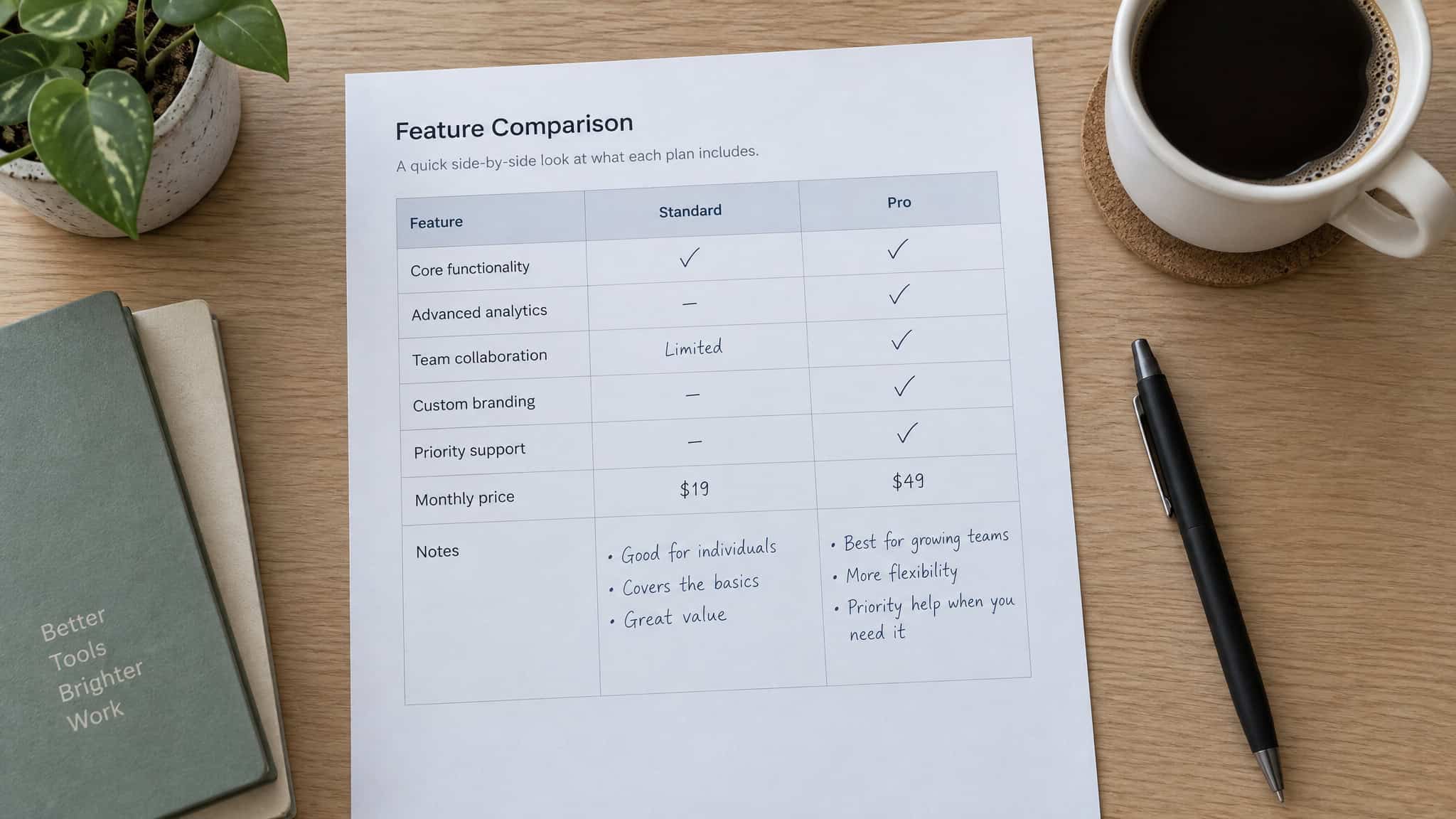
| Feature | Google Flights | Skyscanner |
|---|---|---|
| Price coverage | Yes (major airlines, direct fares) | Yes (adds budget carriers and OTAs) |
| UI | Yes (clean, fast, no clutter) | Partial (more filters, busier) |
| Price alerts | Yes (with fare predictions) | Yes (basic, sometimes slower) |
| Price-context labels | Yes (low/typical/high) | No |
| Multi-city | Partial (limited options) | Yes (open-jaw, mixed carriers) |
| Budget airlines | Partial (gaps remain) | Yes (Ryanair, Wizz Air, Scoot, AirAsia) |
| Baggage filter | Yes (reprices results) | No |
| Fees visibility | Partial (baggage filter helps) | Partial (OTA fares often omit fees) |
| Mobile app | No (no official booking app) | Yes (full-featured) |
| Multi-airport search | Yes (up to 5 airports per Google’s docs) | Yes |
| Mixed-ticket risk on Cheapest | Yes (real, check before booking) | Yes (real, check before booking) |
| Booking process | Redirect to airline or OTA | Redirect to airline or OTA |
Google’s own docs say five departure or arrival airports in a multi-airport search. I’d plan around five.
Those middle rows are the ones that decide trips. Google’s low/typical/high labels answer the book-or-wait question. Skyscanner has nothing like them. The baggage filter reprices everything for how you actually travel.
Mixed-ticket risk is the trap hiding inside the “Cheapest” sort. Skip those and you’re comparing interfaces; pay attention to them and you’re comparing outcomes.
How each engine gets its prices
Google Flights is generally the more accurate of the two, because it pulls near real-time pricing directly from airlines and a short list of select OTAs. Skyscanner trades some of that accuracy for breadth, casting a wider net across budget carriers and OTAs of varying quality. That trade is why Skyscanner’s numbers can be outdated or incomplete while Google’s number is close to what you’ll actually pay.
This is the load-bearing fact of the whole comparison. Where each tool gets its prices causes every downstream difference you’ll feel: Google’s accuracy and clean handoff to the airline versus Skyscanner’s listed fare and real fare aren’t always friends problem, where bag or seat fees quietly stay out of the displayed number until checkout. Know what’s under the hood before you trust the number. Everything else in this article is a consequence of that one difference.
Why travelers choose Google Flights
For price prediction, Google Flights beats Skyscanner’s alerts outright, because it layers price context on top of tracking. Fares get labeled low, typical, or high based on historical data, the tool suggests alternate dates, and sometimes it just tells you to book now or wait. Skyscanner mostly notifies you that a price changed and lets you guess whether that’s good. (Kayak separately adds fare forecasting to its alerts, worth a line if you’re shopping around.)
It’s the search tool you don’t fight with
Results load almost instantly, filters apply without a reload, and there are no pop-ups, no upsells, no sketchy booking sites mixed into the results. Real airline branding, clear pricing. That sounds minor until you’re comparing ten fares and one tool wastes your time on every click. Fast tools get used.
Slow ones get abandoned. It’s that simple. And the details it surfaces fast matter more than they look: JetBlue gives you 33 inches of legroom while Frontier gives you 28, a five-inch difference you’ll feel on any flight over a couple of hours.
Price tracking that tells you when to buy
The date grid and price calendar show the cheapest days at a glance, which is where flexible travelers should start instead of locking in a date first. Then the labels earn their keep: an October NYC to SFO fare came in $93 below its typical $245 to $415 range, and Google flagged it as low. That’s a “grab it” signal, not a vibe. On a December Miami flight, it went further and said the fare was cheaper if booked by September 13. That’s advice built into the tool, not just search results.
Filters that actually do something
The sleeper feature is the baggage filter. Turn it on and every result reprices for how you actually fly: one NYC weekend fare sat at $350 with no bags, $0 carry-on, and $419 with one checked bag. Sixty-nine bucks for a suitcase. Suddenly the fare with free bags might be the cheaper one.
Beyond bags you’ve got filters for stops, alliances, layovers, emissions, and basic economy. The emissions estimates are worth a glance too: on the same LAX to Tokyo route, a United 787 comes in around 734 kg of CO2 while a Singapore 777 runs about 1,163 kg, so the plane itself moves the number. There’s also bag math on your side sometimes: Aeroplan cardholders get free checked bags on Air Canada, which changes the total before you even compare tools.
When Skyscanner outperforms Google Flights
Skyscanner wins on short-haul budget-carrier routes. It surfaces Ryanair, Wizz Air, Scoot, AirAsia, and smaller regional airlines that Google skips or only partly includes, and the fares on those routes in Europe, Southeast Asia, and Latin America can be dramatically cheaper. If your itinerary is budget-weird or complicated, the gap only widens from there.
“Everywhere” is the best feature for a guy with PTO and no plan
Two flexible modes get blurred in most comparisons, and they answer different questions. “Where can I go cheap?” is Skyscanner’s: type Everywhere as your destination and it lists the cheapest countries and cities to fly to, one input, whole map of options. “When should I go?” is Google’s: the Explore map and date grid are more powerful visually. For ultra-budget inspiration, Skyscanner’s simpler approach wins. Each fits a different mood.
Multi-city and international depth
Stitching together stops, open-jaw itineraries, mixed low-cost carriers, smaller airports? Skyscanner handles all of it and pairs it with a full-featured app. Google’s multi-city options are limited and there’s no official Google Flights booking app at all. But is it cheaper to book a flight at the airport?
Rarely, and the rule of thumb holds: the more complicated or offbeat the itinerary, the more Skyscanner pulls ahead. Ugly itineraries, real savings.
The shrinking budget-carrier gap
The old claim that Google Flights misses budget airlines like Southwest is now out of date, and stale comparisons repeating it are wrong. Southwest fares began appearing on Google Flights and Kayak in May 2024, with Expedia integration following in 2025. Comparability keeps improving because of moves like that, so the Google blind spot is a moving target, not a permanent fact.
One caveat worth keeping: even with fares visible in metasearch, booking direct with Southwest can still be cheaper or more flexible. Seeing a fare somewhere doesn’t mean that somewhere is the best place to buy it.
Ghost fares, hidden fees, and why “Cheapest” backfires
The cheap number on a comparison site is a starting bid, not a price. Two failure modes explain most of the disappointment people have with flight search, and both live at checkout.
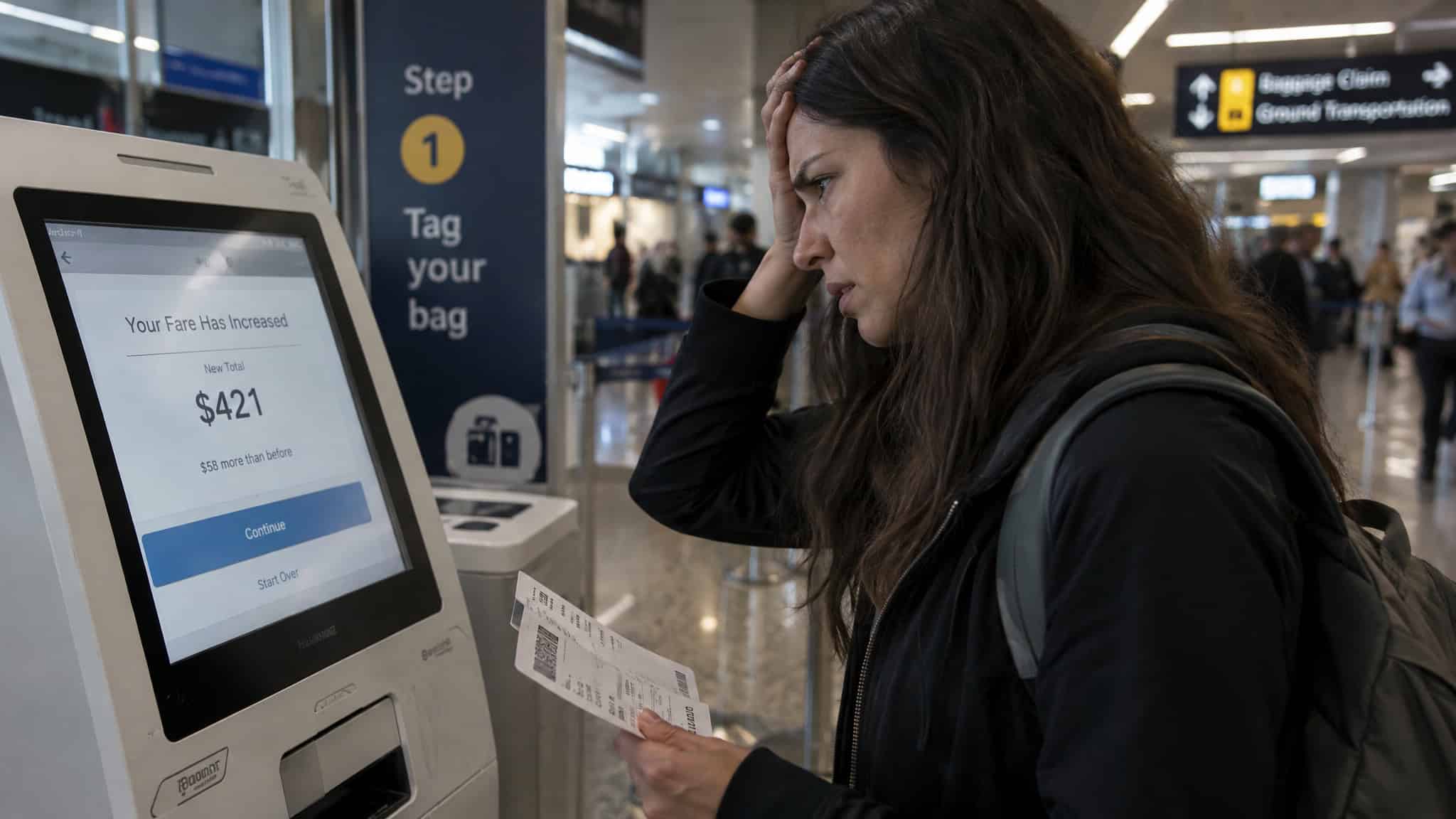
Ghost fares and the checkout price jump
A typical ghost-fare situation: a Skyscanner result from a lesser-known OTA looks cheap, then at checkout the price jumps because bag fees, seat assignments, or priority boarding weren’t in the displayed number. The math is unforgiving. A $40 headline difference can vanish entirely after carry-on fees, checked bags, seats, and boarding. On NYC to LA round-trips, basic economy ran $338 versus $377 without it, thirty-nine bucks, and the question is what those dollars actually buy you once you count what’s missing.
Quick test: Before paying anything, price the same trip with your real bag count. If the total jumps at checkout, the deal was never a deal.
The remedy is boring and it works: Google’s baggage filter reprices results before you click, and before paying anything, check the final price, baggage allowances, seat fees, and change policies. If a deal looks too good to be true, click through and confirm it before you get attached. Two clicks.
Why the Cheapest sort can be the most expensive choice
The cheapest fare is often the most restrictive, and booking flights on Google Flights can surface Cheapest picks that are actually mixed tickets bought separately through third parties. That means separate reservations, and if your first flight is delayed and you miss the second, no airline owes you anything. Add self-transfer risk on top. Concrete case: Atlanta to Santiago, where Delta’s direct flight (the Best pick) ran $1,400+ against a $784 Cheapest option, and the cheap side of the Portugal search was a three-stop, 35-hour slog next to a 7-hour direct. Technically cheapest. Practically a punishment.
That said, the cheap option isn’t always a trap: on a Taipei to Seattle search, Starlux, Delta, and EVA nonstops ranked as both best and cheapest. Sometimes the cheap option is the good one. When that happens, book it and don’t overthink it. Otherwise, sort by Best flights, shortest duration, and fewer stops first, then compare prices.
As for whether Skyscanner’s prices are real: yes, but not always guaranteed. OTA fares can be outdated or change at checkout, which is the whole ghost-fare problem again.
Booking for multiple travelers: the checkout honesty check
In my experience planning for several travelers, neither Google Flights nor Skyscanner guarantees the displayed per-person fare once multiple seats go in one cart. The search engine’s job ends at the checkout door, and planners booking for a group commonly run into the same friction: the per-person price you searched isn’t always the per-person price you pay, because fare availability shifts as seats actually get claimed. It’s one of the reasons booking flights together deserves its own look, since the group transaction itself changes the math.
The honest workflow is the same either way. Run price tracking and flexible-date exploration per route on whichever tool you like, then verify per-passenger totals at the airline’s own checkout (or a trusted OTA) before any money moves. That verification step is the only number that counts. One trick worth knowing: search for four when only two cheap seats are left, and Google shows the pricier fare bucket for all four, search for one instead to see the actual lowest fare. The catch is you’ll book separately, and prices jump once the cheap seats sell out. The tools are great at finding the fare. Only the checkout can confirm it still exists for everyone in your party.
Price alerts and flexible dates: which tool for which question
Google’s tracking has a real edge: price context. Its alerts come wrapped in low/typical/high labels and alternate-date suggestions, which turns a notification into a booking decision, like that NYC to SFO fare $93 below its typical range. Skyscanner’s alerts are basic and sometimes slower to update; you find out the price moved, not whether it’s good. Kayak’s fare forecasting is a separate add-on worth a line if you’re comparing.
Set alerts on both for your routes anyway. Ten seconds of setup beats re-checking fares every night, and no fixed “book on Tuesday” rule beats an actual alert.
Nearby airports and flexible dates: the levers both tools support
Yes, nearby airports and date shifts are the most consistent savings levers, and the numbers back it up. Shifting your trip a day or two. Tuesday and Wednesday are usually the cheap days, plus booking roughly 1-3 months out for domestic and 2-8 for international does most of the heavy lifting. Secondary airports shine in Europe and Asia: London is often cheaper via Gatwick or Stansted, and a 3-hour, €15 bus between Nice and Genoa can make the neighboring airport worth it entirely. In the US, Chicago has Midway, and SWF (Stewart International) sits about 60 miles north of Manhattan. An intentional Cairo stopover en route to Turkey turns a layover into the pyramids.
Multi-airport search pays too. Both platforms support multi-airport searches. Google handles the comparison side better, its docs cap it at 5 airports, which is plenty for the New Yorks and Londons of the world. A New York area multi-airport search turned up a $258 United basic economy nonstop, EWR to LAX, March 18 to 25. One search change, real money.
On timing: shift 1-2 days, fly Tuesday or Wednesday, and watch seasonal sales like Black Friday, Cyber Monday, Boxing Day, and the January windows. Use miles and points you already have, because that’s free money sitting in your wallet. Booking windows run roughly 1-3 months ahead for domestic and 2-8 for international. Those are guideposts, not physics, and alerts plus price context beat any fixed rule.
The recommended workflow: how to use Google Flights and Skyscanner together
The cheapest-flight play is four steps, uses both tools, and takes minutes. Baseline on Google Flights, cross-check on Skyscanner, set alerts on both, then compare total cost before you pay anyone. That’s it. No branded system, no app dashboard. It’s the boring-but-effective play, and boring is why it works.
- Step 1: Baseline on Google Flights. Get the typical pricing for your route, the cheapest dates from the calendar, and the best airlines flying it. You need a reference point before you can recognize a deal when you see one. A deal-discovery service like Going can feed you the fare worth baselining in the first place, their sample searches usually link straight to Google Flights anyway.
- Step 2: Cross-check on Skyscanner. This is where budget carriers and lesser-known OTAs show up, and it’s where the weird cheap options live. In practice, the travelers who save most re-check Skyscanner mainly for short-haul or ULCC-heavy regions, Europe and Southeast Asia especially. For a domestic Delta run, skip it.
- Step 3: Set price alerts on both. Google’s tracking is the more robust one, with the low/typical/high labels doing real work. Skyscanner’s alerts sometimes lag on updates. That’s the honest asymmetry; set them anyway and stop re-searching the same route every night.
- Step 4: Compare total cost. Carry-on fees, checked bags, seat assignments, priority boarding. This step often decides which platform is actually cheaper, because a $40 headline difference can vanish after fees. When you’ve picked, book direct with the airline where possible: easier changes, faster support when delays hit, fewer checkout surprises.
Ten minutes, start to finish. The payoff isn’t a hack, it’s a decent shot at paying less without giving an evening to it.

Beyond search: catching deals you didn’t think to look for
Metasearch is reactive: both tools only show prices that currently exist, so neither surfaces a deal you didn’t think to search for. Going fills that gap with push alerts for mistake fares, flash sales, and rare price drops. On the same idea, I ran RatePunk’s browser extension for three months: roughly 40% of its alerts were genuinely useful, about 30% landed on unusable dates, and total savings came to around $380 to $400, including a $210 London flight that saved about $120 through a smaller OTA I only used after checking reviews and its cancellation policy. Premium runs roughly $23.99 to $50 a year.
Rates vanish, smaller OTAs need vetting, and an extension means granting permissions, so it complements Kayak and Google Flights rather than replacing them. Best fit: flexible travelers booking 3-4+ trips a year.
Emerging edges: AI search, award travel, and regional fare testing
The core comparison is settled, but the edges of flight search keep moving. Three of them are worth knowing about: natural-language AI search, award-seat tools for the points crowd, and VPN-based regional fare testing. None replaces the four-step play; each adds a layer to it.
AI search
Yes, Google’s Flight Deals beta can take natural-language queries like “week-long beach trip under £500” (their samples also use a £700 budget), and it does the digging for you. Kayak has conversational AI too. Both are worth a try, and both run into the same old rule: fares and AI results change fast, so verify on the airline site before you trust any of it.
Award travel
Two tools for the points crowd. ExpertFlyer is the one for precise award-seat availability if you’re hunting business class on points, and Points Path overlays point prices inside Google Flights (best in USD; the free tier covers 5 programs, Pro adds 12 international programs and a 7-day award calendar). The actual hack is alliance overlap: United and Aeroplan, American and BA Avios. United SFO to Tokyo award space has been bookable with Aeroplan points, and Qsuite space shows up via American partner inventory. Partner inventory opens seats you can’t see on the airline’s own site.
VPN fare testing
Fares move in real time based on demand, competition, route data, timing, currency, and your own signals, and your IP address is the main location clue. That’s why clearing cookies alone doesn’t reset prices. The test, conversationally: connect a VPN to a server in the region you’re testing, open a fresh incognito window after connecting, use the local site version like.co.uk, note the price, wipe, repeat. Best targets are the airline’s home country, the destination, or lower-cost countries: India, Malaysia, Turkey, Mexico, Argentina, Thailand, Brazil.
NordVPN research found lower prices on Hertz, Agoda, Hotels.com, and Booking.com when browsing from outside the US, which tells you regional pricing is real. A service like NordVPN gives you 224 server locations to test from, with AES-256 encryption over OpenVPN or WireGuard protocols, so picking a country is a dropdown, not a compromise.
Now the catches, said out loud: no single magic country guarantees savings, billing-country mismatches can trigger fraud detection, and rare point-of-sale rule violations can get a ticket cancelled. CAPTCHAs will pop up. It’s legal in most countries but check the site’s terms, and a VPN can’t change GPS-based geolocation anyway. Sometimes the un-risked, slightly pricier fare is the smarter buy. The side benefit is real, though: a VPN encrypts your connection on airport and hotel Wi-Fi, which is worth having regardless of what it does to fares.
The verdict
Google Flights for speed, clarity, and price confidence on mainstream routes. Skyscanner for variety, budget airlines, and international depth. Together, plus Going for the deals neither engine can show you, they cover more ground than either alone. Whatever tool finds the fare, though, verify the total at the airline’s checkout before you pay. That habit saves more money than any sort button.
Frequently Asked Questions
Is Google Flights the best to find cheap flights?
For most US domestic and major-airline trips, yes — it’s generally the more accurate of the two because it pulls near real-time pricing directly from airlines. Its low/typical/high labels tell you whether a fare is actually cheap, and the baggage filter reprices results for how you really fly. The main gaps are limited multi-city options, no official booking app, and historically patchy budget-carrier coverage, though Southwest fares began appearing on it in May 2024.
How do I use Google Flights and Skyscanner together to find the cheapest flight?
Four steps, about ten minutes: baseline your route on Google Flights for typical pricing and cheapest dates, cross-check Skyscanner for budget carriers and lesser-known OTAs (mainly for Europe and Southeast Asia), set price alerts on both, then compare total cost including bags, seats, and boarding before paying. Book direct with the airline where possible for easier changes and faster support. Verify the final total at checkout — that’s the only number that counts.
How does Google Flights price prediction compare to Skyscanner alerts?
Google Flights wins outright. Its alerts come wrapped in low/typical/high labels based on historical data, plus alternate-date suggestions and sometimes an explicit book-now-or-wait call — like flagging a fare $93 below its typical range. Skyscanner mostly tells you a price changed and leaves you to guess whether that’s good; its alerts are also sometimes slower to update. Set alerts on both anyway.
Why can the Cheapest sort be the most expensive choice?
Because the cheapest fare is often the most restrictive. On both tools, Cheapest picks can be mixed tickets bought separately through third parties — separate reservations, so if your first flight is delayed and you miss the second, no airline owes you anything. A $784 multi-stop option next to a $1,400+ direct flight is technically cheapest, practically a punishment. Sort by Best flights first, then compare prices.

