If you run your own business, you’ve probably looked for a simple, no-cost invoice generator. As a small business owner myself, I know the search can be frustrating. Thankfully, I found a tool years ago that does the job quickly and without any fuss: InvoiceToMe.
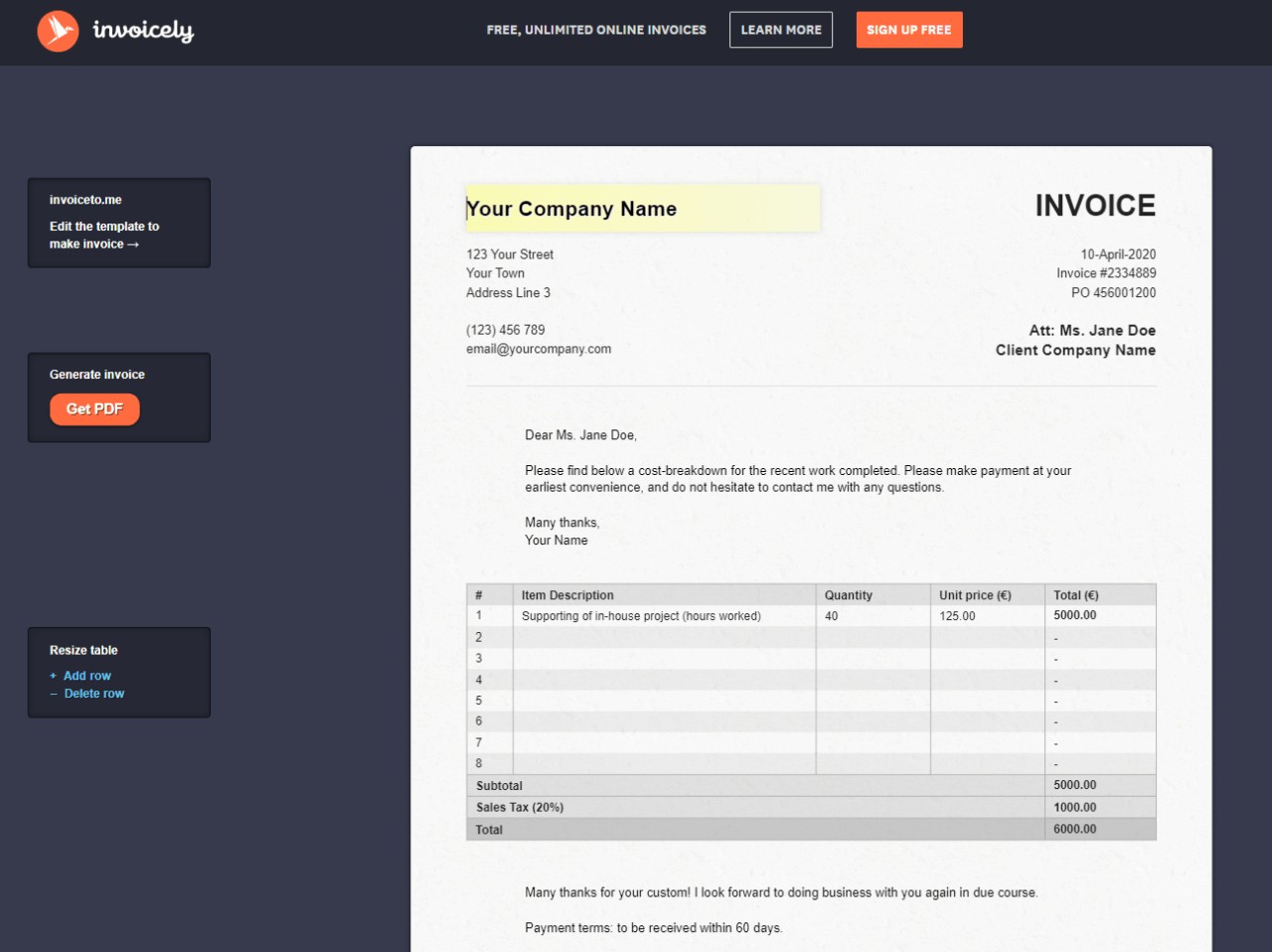
It’s one of the most straightforward tools out there. You just open up the website, fill in your details on the template, and download your PDF. There’s no sign-up required, which is perfect when you need an invoice in a hurry.
What is InvoiceToMe and Who Is It For?
InvoiceToMe is a free, web-based invoice generator. It’s designed for maximum simplicity, allowing anyone to create a professional-looking invoice in seconds without creating an account. This makes it a fantastic tool for freelancers, consultants, and small business owners who are just starting out.
The number of independent workers is growing fast. Projections show that the number of American freelancers will reach 90.1 million by 2028. Many of these entrepreneurs need basic tools that don’t add to their costs, and that’s precisely the gap InvoiceToMe fills.
It’s best for those who:
- Need to create invoices infrequently.
- Don’t require advanced features like payment tracking or client management.
- Want a clean, professional PDF without watermarks or branding.
- Value speed and don’t want to register for yet another service.
A Hands-On Look at Key Features
InvoiceToMe keeps things incredibly simple. The entire interface is just an editable invoice template. You click on a field, type your information, and see the final result in real-time.
Here’s what you can do:
- Edit all fields directly: From your company info to the client’s details and line items, everything is editable on one page.
- Automatic calculations: The tool automatically calculates subtotals, taxes, and the final total, reducing the chance of manual errors.
- Add and remove rows: You can easily adjust the number of line items for different jobs.
- Instant PDF download: Once you’re done, you can download a clean PDF of your invoice with a single click.
A great “insider” tip I’ve learned is to fill out your own business details and then bookmark the page. Since the tool doesn’t save your data, this creates a personal template you can reuse instantly, saving you from re-typing your info every time.
The Good and The Bad: A Balanced View
While InvoiceToMe is great for its simplicity, it’s important to understand its limitations. Here’s a breakdown of where it shines and where it falls short.
What I Like (Pros)
- Completely Free: There are no hidden fees, tiers, or limits on the number of invoices you can create.
- No Registration Needed: You can use it immediately without handing over your email address or personal data.
- Extremely Fast: It is one of the quickest ways to generate an invoice from scratch.
What Could Be Better (Cons)
- No Data Storage: It doesn’t save your invoices or client information. If you close the tab, your work is gone.
- No Payment Integration: You cannot accept payments through the invoice itself. You’ll need a separate method like PayPal, Stripe, or a bank transfer.
- Limited Customization: You can’t add a company logo or change the template’s design, which is a standard feature in other free tools like Zoho Invoice.
One concern I had in the past was its lack of an SSL certificate. I’m happy to report that the site now uses HTTPS, which means the data you enter is encrypted and secure during your session.
Top Free InvoiceToMe Alternatives
If you need more features but still want to keep costs at zero, you have some excellent options. Many modern invoicing platforms offer robust free plans that are a significant step up from a basic generator.
For example, a 2024 TeamStage report found that 75% of freelancers use software to help manage their finances and invoicing, showing how valuable these tools have become. Here are a few of the best free alternatives:
| Tool | Key Feature | Best For |
|---|---|---|
| Zoho Invoice | Completely free for unlimited invoices and clients, plus it includes time tracking and a client portal. | Freelancers and small businesses wanting a full-featured invoicing system at no cost. |
| Wave | Offers free invoicing and accounting software in one package, including bank reconciliation. | Small businesses looking for an all-in-one financial tool. |
| PayPal Invoicing | Integrated directly with a trusted payment gateway, making it easy for clients to pay you online. | Anyone who already uses PayPal for business transactions. |
The Bottom Line: Should You Use InvoiceToMe?
After all these years, I still find InvoiceToMe useful for those one-off situations where I need a clean invoice immediately without logging into a full accounting system.
It’s a no-frills tool that does one thing and does it well. However, as your business grows, you’ll likely want a more robust solution like Zoho Invoice or Wave to help streamline my business operations. For those just starting or who have very simple invoicing needs, InvoiceToMe is a fantastic, bookmark-worthy resource.