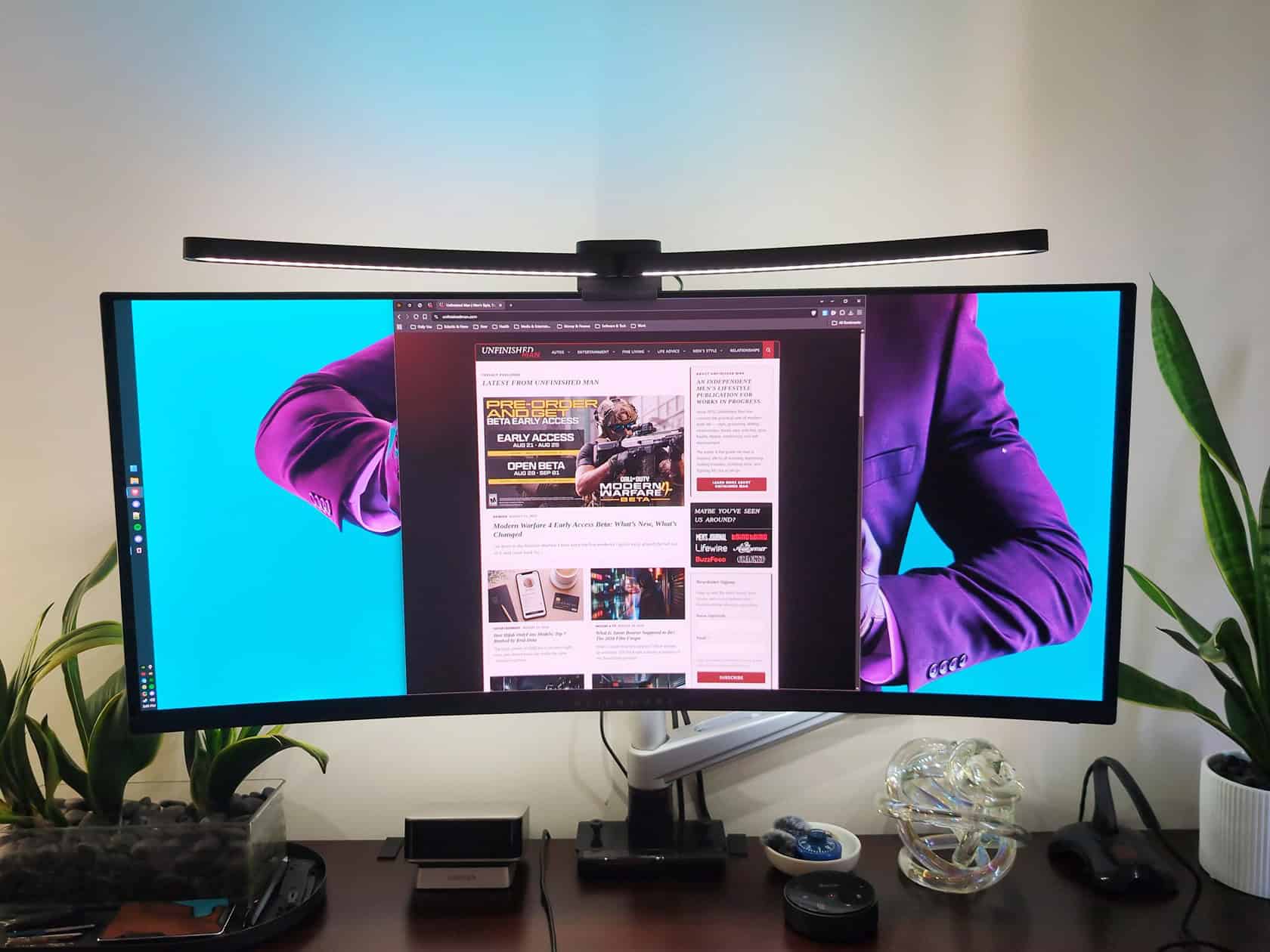
Here’s a situation you’ll recognize if you’ve got a big curved monitor parked on your desk: any decent desk lamp is either eating the little bit of workspace you have left, or it’s bouncing light off your screen so you’re squinting at your own display. You want even light across your keyboard and paperwork, not a reflection staring back at you. That’s the exact problem a monitor light bar is built to solve, a bar that clamps over the top edge of the screen and throws light down onto the desk instead of up at your face.
The budget-friendly candidate everyone keeps landing on is the Quntis Curved Monitor Light Bar IM. It’s $59.99, it’s sitting at 4.6 stars from 3,534 Amazon ratings, and more than 1,000 of those were bought in the last month alone, This review covers whether it fits the big curved screens it’s pitched at, how easy it is on your eyes across a long session, what the dual-light design gets you, and whether the price makes sense next to the premium BenQ tier everyone compares it to.
Because that BenQ comparison is what makes the price meaningful. The Quntis costs a fraction of what a ScreenBar runs, and the whole question is what you give up along the way. Short version to come, but first, let’s figure out exactly what you’re buying.
Key Takeaways
Fit comes down to two specs: curvature radius (800R to 3000R) and screen thickness (up to 3.35 inches). Buyers have confirmed it on a 45-inch LG Ultragear OLED 800R, a G9 curved OLED, and both 34- and 49-inch curved monitors.
The bar is chunky17.3 × 5.5 × 4 inches and 1.22 kg, and one reviewer called it “thick and imposing.” That bulk is what holds the adjustable wing angles in place on tight curves, so it’s a tradeoff, not a defect.
At $59.99 you get RA98 color accuracy, an RG0 anti-blue-light rating, and 1400 lux of center brightness. Buyers call it a “good alternative to BenQ”, though that label comes from customer perception, not a measured head-to-head.
Table of Contents
What the Quntis Curved Monitor Light Bar IM actually is
The Quntis Curved Monitor Light Bar IM (listed as the Quntis ScreenLinear Curved RGB monitor light bar on Amazon) is a two-part rig that mounts by hanging over the top edge of your monitor. No adhesive, no desk clamp. It’s two light bars in one: a front-facing task light that throws even light down across your workspace, and a rear-facing RGB backlight strip that washes light up the wall behind the monitor.
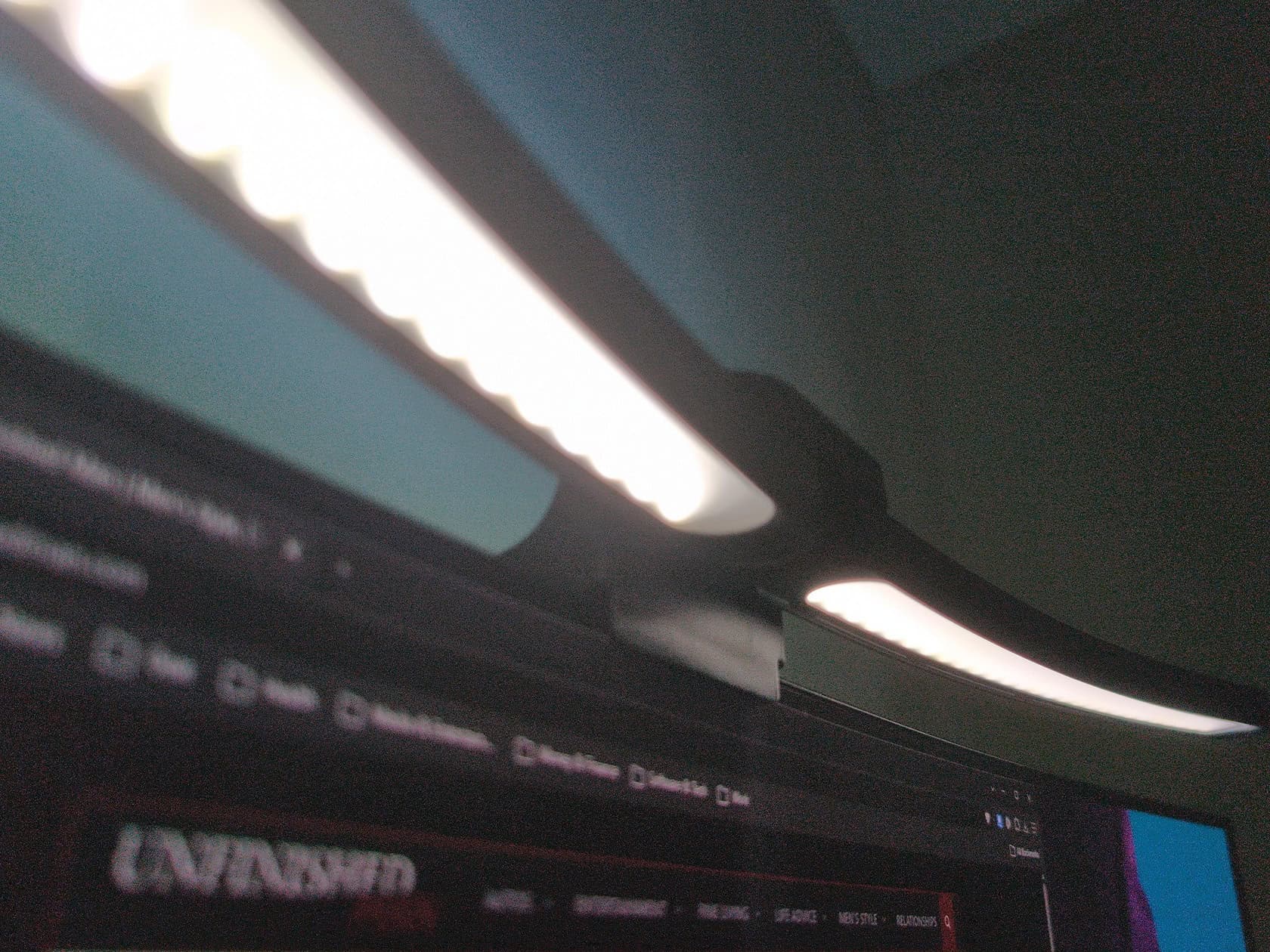
It’s aimed squarely at the bigger screens. The spec is designed for curved monitors over 34 inches with 800R to 3000R curvature, which covers the vast majority of what people run. The lamp bar extends about 26 inches (66cm), so it spans wide monitors without looking undersized.
Power is 5V USB, which means it runs off a monitor port or a small hub. No dedicated wall unit required, no cable management nightmare.
What you get in the box
In the box: the light bar itself, a battery, a remote control, an adapter, a USB-C power cable, and a user manual. The manual is straightforward, setup takes about 90 seconds, and it’s mostly plug-in, hang, and angle the thing.
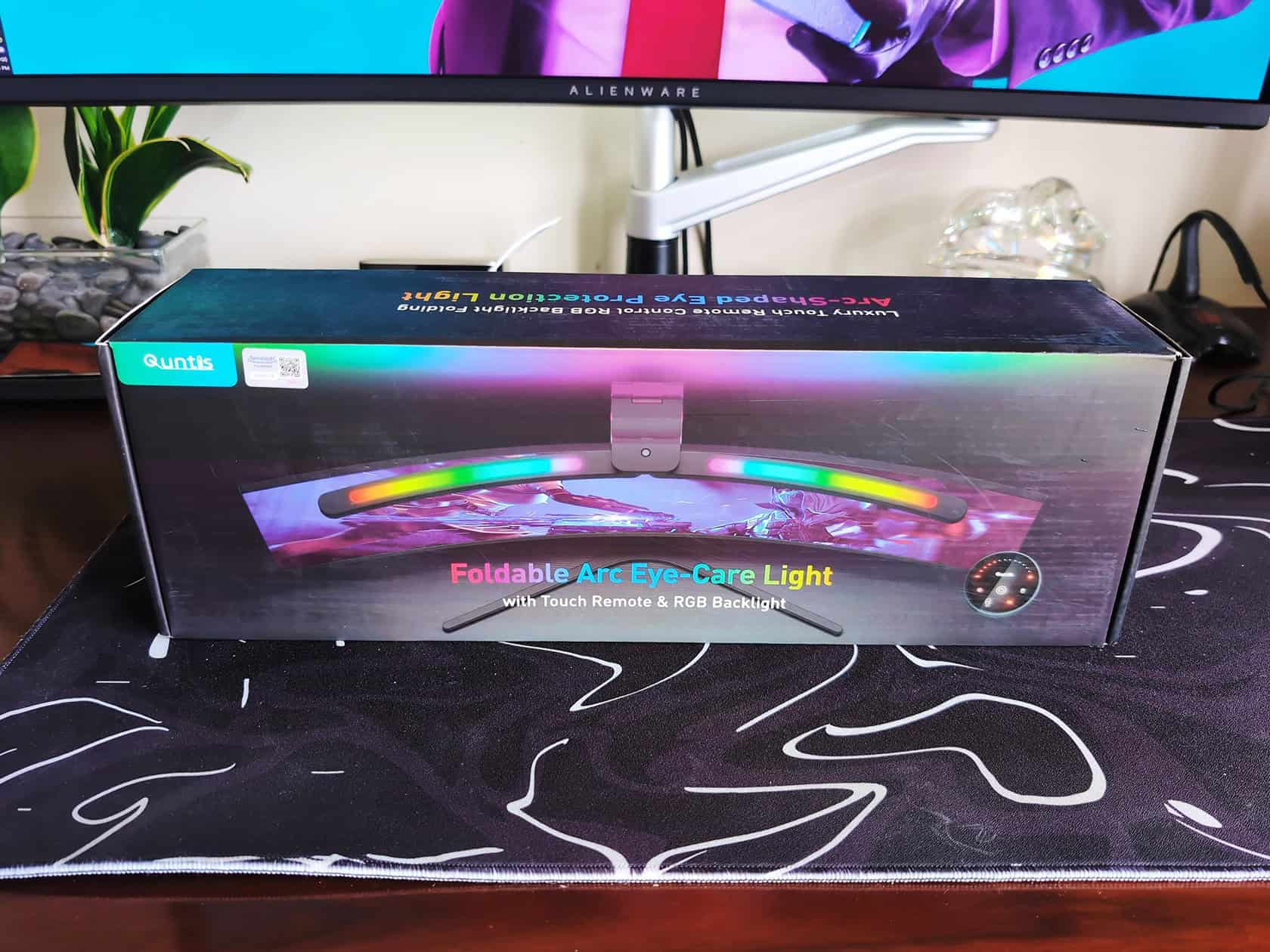
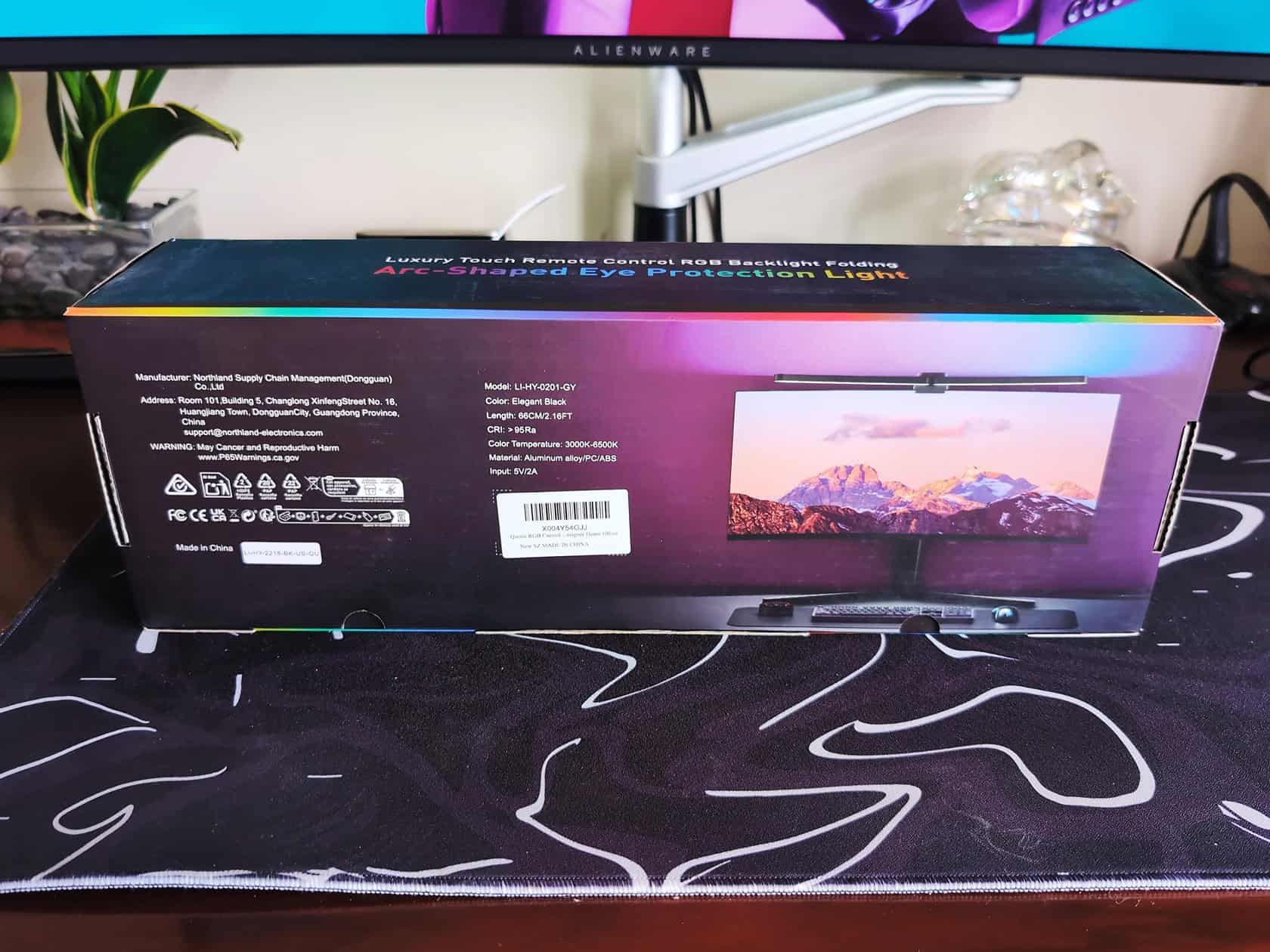
One detail worth flagging: the included cable is a right-angle USB-C, which keeps it tidy and out of the way of a webcam mounted on top of the monitor.
The eye-care specs that actually matter
Three specs are doing the heavy lifting here, and they’re the reason people say their eyes feel better after long sessions:
- RA98 CRI, color accuracy. Out of 100, most decent lighting sits in the 80s. RA98 means colors render close to how they look in natural light, which matters if you do anything color-sensitive.
- IEC/TR 62778 anti-blue-light certification, rated RG0, that’s the safest blue-light rating on the scale.
- 45-degree asymmetrical optical design, the geometry that pushes light down and forward instead of into your eyes. This is the “no glare” part of the pitch, and it’s also why you’re not staring at a bright bar all day.
Beyond that, you get stepless dimming and a color temperature range from a warm 3000K up to a cool 6500K. There are four preset brightness levels, an auto-dimming sensor if you want it to adapt to the room, and a power-off memory function so it comes back at whatever setting you last used.
Brightness sits at up to 1400 lux in the center and 500 lux across the wider area, plenty for reading, paperwork, or detail work.
Buyer rule: Match the bar to your monitor’s curve and thickness before ordering — 800R to 3000R curvature and under 3.35 inches thick are the numbers that decide the fit.
Build quality: aluminum, the clamp, and why it’s chunky
The body is matte black aluminum, and the whole unit weighs 1.22 kg. It mounts by hanging over the top of the monitor, held in place by a reinforced three-section adjustable clamp with a silicone anti-slip pad. Handles screens up to 3.35 inches thick, which covers everything on the market.
Here’s the honest part: the Quntis is not a delicate, slim piece of kit. It’s 17.3 inches deep, 5.5 inches wide, and 4 inches tall. When a reviewer mounting it on a 45-inch LG Ultragear OLED 800R described it as “thick and imposing,” he wasn’t wrong.
Why the bulkiness is actually a feature
That solid build is what makes the adjustable wing angles work. On a tight-curve monitor, the light bar needs its wings angled to keep light off the screen, and the heavier, more substantial frame is what holds those angles in place without drooping. A slimmer bar would look nicer in photos and probably flex out of position on an aggressive 800R curve.
So if you’re someone who likes everything sleek and barely-there, this will bug you. If you’d rather have something that stays where you aimed it, the heft works in your favor.
One real limitation before we move on: it’s not waterproof and it’s for indoor use only. That’s not a knock on a desk lamp, just don’t put it somewhere a drink could go over, and don’t expect it to live on a covered patio.
Real-world fit: does it actually sit right on a curved monitor?
This is the question that decides whether the Quntis works for you, because a light bar that doesn’t mount properly on a curved screen is useless no matter how good the specs are. The two numbers that matter: your monitor’s curvature needs to be between 800R and 3000R, and the screen thickness needs to be under 3.35 inches.
The real-world evidence from buyers is strong, and it covers the screens people actually own:
- A reviewer on a 45-inch LG Ultragear OLED 800R, that’s one of the most aggressive curves you can buy, confirmed the wing angles eliminate reflection off the monitor.
- A reviewer on a G9 curved OLED had no fit complaints.
- Multiple reviews on 34-inch curved monitors and a 49-inch curved model came back clean.
Another reviewer on a curved monitor noted the Quntis’s curve matched his screen perfectly, with light hitting the desk and no glare on the glass, you can see this Quntis Curved Monitor Light Bar IM on Amazon. When the fit is right on a tight radius, that’s exactly what you should see.
Fit on tight-curve ultrawides (45-inch and 49-inch)
If you’re running a big aggressive-curve panel like the 45-inch LG Ultragear OLED 800R or a 49-inch superwide, this is the class of monitor the Quntis was designed for. The adjustable wings are the key, you angle them to push light past the curve instead of bouncing off the display. Reviewers who did that reported clean results.
Fit on a 34-inch curved monitor
The 34-inch class is the sweet spot. The 26-inch lamp length spans it without overhang, and the curvature on most 34-inch panels sits comfortably inside the 800R-3000R range. Setup takes about 90 seconds, per the reviews, and it’s a set-it-and-forget-it deal from there.
Installing on a thicker monitor
Before you buy, measure the top bezel thickness. Up to 3.35 inches and the clamp handles it with the silicone pad doing the grip work. If your monitor is thicker than that, it won’t seat properly, that’s the one physical spec you can’t fudge.
How it lights your desk (and your eyes)
The lighting performance is the other half of the pitch, and it’s where the Quntis earns its keep. The front task light throws even illumination down across your desk, reviewers describe the distribution as smooth and even, which is the thing cheap light bars get wrong. Most of them throw a hot spot in the middle and fall off at the edges. That’s not what’s happening here.
For the eye-strain question, the combination of the 45-degree asymmetric optics and the RG0 rated blue-light output is why people report feeling the difference. One reviewer put it plainly: he could feel the difference in his eye strain after a session.
Why it’s easier on your eyes
Three things working together: the light is directed down and away from your face, so you’re not staring into a bright source; the color temperature is adjustable from warm 3000K to cool 6500K, so you can match it to time of day; and the stepless dimming means no jarring brightness jumps when you want to dial it down.
The warmth range deserves its own mention. One reviewer noted the Quntis can produce warm amber tones, which is what you want if you’re winding down at night instead of blasting your eyes with 6500K until midnight.
The RGB backlight: what it’s for, and what it isn’t
The Quntis is a dual-light bar: task light up front, RGB backlight around the back, with 15 customizable RGB modes on the rear strip. The backlight washes light up your wall behind the monitor, it’s the classic bias-lighting setup that makes a desk feel like a proper setup rather than an afterthought. If you’re weighing the benefits of using a monitor lamp bar, you can explore more monitor light bar options if you want to upgrade your workspace further.
Here’s the honest take: the RGB backlight is not a task light. It’s ambiance, and judging it as anything else is asking for disappointment. It doesn’t illuminate your work; it separates the monitor from the wall, reduces the contrast your eyes are dealing with in a dark room, and looks cool doing it. If you’re into aesthetics and you’ve got a blank wall behind the desk, this is where the package delivers. One reviewer on a plain white wall said the RGB backsplash “took the setup up a notch.”
Task light vs. ambiance: know what you’re buying
If you want functional lighting, you buy this for the front bar and treat the backlight as a bonus. If you want a proper gaming-desk look with the wall wash effect, the RGB modes are there and they’re good. What you shouldn’t do is buy it expecting the RGB to light your work, it won’t, and that’s not what it’s for.
Controls, remote, and the desk-space win
Two ways to control it: touch controls on the bar, and the included wireless remote. The touch controls are responsive, that’s another consistent point in the reviews. The remote is well-designed: sleek, wireless, and it controls both the light temperature and the RGB modes.
This is the right approach for a monitor light bar, because reaching up to touch the top of your monitor every time you want to adjust is obnoxious. Having the remote on the desk changes the daily experience.
Touch controls vs. the wireless remote
Most of the time you’ll grab the remote. It’s the kind of control that makes the stepless dimming and color temperature adjustment feel effortless. That said, the touch controls are there if you lose the remote, and they work fine. The one genuine criticism in the reviews: the remote is not rechargeable, it runs on its included battery, so you’ll swap batteries eventually. It’s a minor annoyance on a $59.99 product, but it’s worth knowing going in.
The desk-space win
This is the part that shows up in almost every review: because the bar mounts on the monitor, it frees up roughly 90% of the desk space your old lamp was eating. One reviewer’s framing was “best money spent”, not because the lighting was fancy, but because it cleaned up the entire workspace while making it feel higher-end.
Is it worth it next to a BenQ?
This is the comparison that comes up constantly, so let’s be straight about it. Buyers repeatedly describe the Quntis as a “good alternative to BenQ”. BenQ being the premium light bar maker whose ScreenBar line sits at a meaningfully higher price point. But that label is customer perception from real-world use, not a measured side-by-side benchmark. There’s no data in the reviews that runs the two against each other head-to-head on lux output, color rendering, or build.
What the facts support: at $59.99, the Quntis delivers the same core setup, a light bar that frees your desk, directionally lit, with adjustable color temperature and no glare on the screen. BenQ charges significantly more for a similar concept.
The Quntis’s numbers are strong for the price: RA98 CRI, an RG0 blue-light rating, and 1400 lux of center brightness. If that combination matters to you, you’re not making a budget compromise that shows in the light quality.
The broader Quntis lineup, honestly
If you’re looking at other options in the same ecosystem, the Quntis lineup also includes a Pro+ variant, and Xiaomi sells its own monitor light bars. I’m not going to pretend I can run a clean spec comparison against those. I don’t have solid data on the Pro+ or Xiaomi specifics from what’s available here. What I can tell you is the base Quntis stands on its own numbers. If you’re comparing against its own siblings, check the specs on whichever one you’re considering before buying up or down.
Related options if this one isn’t right
Amazon lists related items alongside the Quntis, including the ONWAY Curved Monitor Light Bar and the Pzloz LED Desk Lamp.
Should you buy a protection plan?
Amazon offers protection plans on this one from Asurion, and they’re cheap enough that the math is worth a glance. Three options, all built for a product that sits on a monitor you probably paid a lot more for:
- 3-Year Protection Plan, $7.99, rated 4.4 stars from a large sample of purchases
- 4-Year Protection Plan, $10.99, rated 4.6 stars
- Complete Protect, $16.99/month, which is a different animal entirely
The two fixed-price plans cover accidental damage, drops, spills, broken parts, and breakdowns, with parts, labor, and shipping included. Power surges are covered from day one, and they handle malfunctions after the manufacturer’s warranty expires.
The one plan that’s probably overkill
Complete Protect at $16.99 a month is a subscription, and for a $59.99 light bar, that math doesn’t work. The monthly cost passes the value of the product in roughly four months. Skip it. The fixed three-year plan at $7.99 does the job.
Cost check: At $7.99, the three-year Asurion plan is the sensible pick — the $16.99 monthly subscription passes the product’s value in four months.
The fine print does matter: the plan has to be bought alongside the product or within 30 days afterward. Coverage doesn’t apply to pre-existing conditions, and it’s worth reading the exclusions before you pull the trigger.
There’s also a voluntary 30-day return guarantee attached to the product, a free 30-day refund or replacement window. If you buy this and the fit or the light quality isn’t right, you’ve got room to send it back without a fight.
What buyers actually say
Let’s do the real accounting, because the reviews tell the story better than any spec sheet. The dominant praise pattern across the buyers is consistent: it reduces eye strain during long sessions, it’s easy to set up, it feels premium for the price, and it fixes the lighting problems people had before.
The recurring criticisms are just as consistent: the bar is thick and imposing on top of the monitor, and the remote needs battery changes because it doesn’t recharge.
A few reviews worth reading:
- Bryan Pascual, on that 45-inch LG Ultragear OLED 800R, the most useful review in the whole set. He documented that the wing angles eliminate reflection off the monitor, then flagged the bulkiness and the non-rechargeable remote. That’s the full picture in one review.
- Edgard Bocio, confirmed the Quntis curve matches a curved monitor perfectly, light hits the desk without glare on the glass, and the wireless remote reduces cable clutter. He also noted the warm amber tones are possible.
- jesh.artz, on Instagram, reported smooth, even light distribution, the RGB backlight modes working as described, responsive touch controls, and secure mounting with no screen reflection.
- Oz Avrahami, the one who called out the dual-light balance specifically, praising the front-and-back setup for well-balanced illumination. Called the build premium and the setup simple.
- Lilian Phan, framed it as an easy setup that frees desk space and makes crafting and gaming better, with the RGB ambiance adding to the room.
There’s also a video review from a customer named Jovanna, filmed showing the lighting actually working on a desk, worth watching if you want to see the real-world effect before buying.
The headline rating holds up under scrutiny: 78% of buyers left five stars, 15% four stars, and the combined negative share sits around 7%. For a $59.99 product in a crowded category, that’s a healthy distribution.
The product is marketed as a Father’s Day gift and a gaming-desk accessory, and both targets check out.
The bottom line
If you’ve got a 34-inch-plus curved monitor and you’re tired of a desk lamp eating your workspace or bouncing glare off your screen, the Quntis is the buy. At $59.99, it delivers the two things that matter, even, glare-free light you can actually adjust, and a fit that’s confirmed on the aggressive curved panels people actually own.
Is it a BenQ? No. But at roughly a third of the price, you’re getting the core experience RA98 color accuracy, a proper blue-light rating, 1400 lux of output, and a remote that makes daily adjustment painless. What you trade is the last bit of refinement and the sleek profile. What you get back is your desk.
Measure your monitor’s curvature and thickness before you order, grab the $7.99 three-year plan as cheap insurance on something sitting atop a far more expensive screen, and angle those wings before you call it done.
Frequently Asked Questions
Which light bar is better, Quntis or BenQ?
Buyers often call the Quntis a ‘good alternative to BenQ,’ but that’s based on real-world use, not a head-to-head benchmark. At $59.99, the Quntis delivers the core experience—RA98 color accuracy, RG0 blue-light rating, and 1400 lux—while BenQ costs significantly more for the last 10% of refinement. If you don’t need that premium polish, the Quntis handles the job.
Is the Quntis monitor light bar worth it?
At $59.99, yes, especially if you have a 34-inch-plus curved monitor and want to reclaim desk space while reducing eye strain. It delivers RA98 color accuracy, RG0 blue-light rating, and 1400 lux of brightness, which is strong for the price. The main trade-offs are its bulky design and non-rechargeable remote, but those don’t undermine its core purpose.
How much desk space does the Quntis monitor light bar save?
Because it mounts on the monitor, it frees up roughly 90% of the desk space your old lamp was using. That’s a major win if you have a deeper desk or actually use the surface for work. Reviewers consistently mention this as a top benefit, along with the cleaner, higher-end look it gives the setup.