
You pay a premium price for a video on OnlyFans, so you should own that local file offline. Instead, OnlyFans treats you like a temporary renter. It forces you to dig through OnlyFans’ promotional feeds—often cluttered with free OnlyFans teasers and reminiscent of scrolling through an Instagram timeline—just to rewatch content already purchased. At Unfinished Man, we view this as a digital rights issue: if cash leaves your wallet, the media belongs permanently on your local hard drive.
A live subscription is a rental fee for access. Real ownership means having the video on your laptop, safe from account bans, creator deletions, or shifting platform rules. Achieving that requires specific tools. This guide breaks down the desktop software, web-based proxy sites, and localized workflows that actually work for saving your purchases, while outlining the technical hurdles of encryption that ruin most amateur attempts.
Key Takeaways
Desktop software like UltConv bypasses server blocks by using an integrated browser to cache and save 1080p files directly.
Free web proxy tools like Streamone cap un-paid downloads to a rigid 5-minute runtime limit.
Successfully extracting paywalled media often exposes internal file data, revealing that expensive “custom” content was recorded years earlier.
Table of Contents
UltConv for 1080p Archival and Offline Ownership
Desktop software built for restricted video streams offers the most reliable way to pull 1080p resolution files offline. Dedicated programs succeed where browser tabs fail because they mimic authorized devices natively at the client level. Use the software’s integrated log-in browser rather than a standard external browser to successfully cache and download these encrypted files.
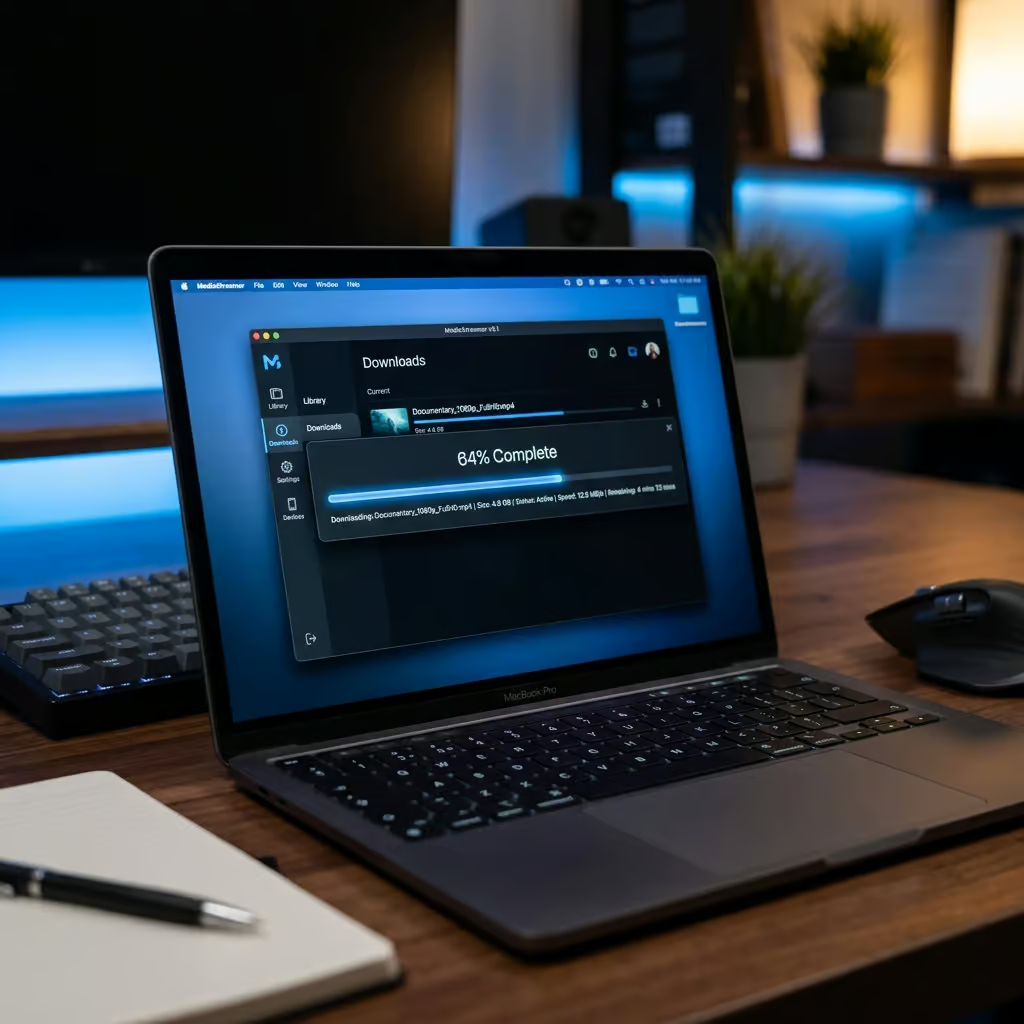
UltConv stands out for this specific workflow. It claims compatibility with over 10,000 streaming endpoints, easily handling standard sites like YouTube right alongside paywalled platforms. The software’s primary utility is bypassing encryption on locked media tiers. Those high-value Paid DMs sent through OnlyFans Messages utilize different encryption protocols than the standard public feed. A localized extraction tool with a built-in login portal bridges that gap securely.
KeepStreams and Archiving Premium Direct Messages
Like its competitor StreamFab, KeepStreams provides a straightforward way to download media, but it struggles with top-tier premium requests. Always test your downloader on a standard public feed post to verify basic encryption evasion is working before you waste time trying to rip high-tier premium messages. If the simple content fails, the walled-off content will fail.
The Offline Folder Workflow
Sorting your downloaded files locally right away prevents your archive from turning into a massive, disorganized dump. KeepStreams handles this cleanly by structuring your media into simple, accessible offline directories directly from its primary interface. The resulting layout mimics the structure of an iPhone camera roll or an iPad app library. When saving content from your favorite online personalities, such as the best couples OnlyFans models, you just select the creator, and the files go exactly where they belong.
The Direct Message Hurdle
Ripping a generic public feed post is technically simple. But attempting to extract a paywalled direct message often triggers playback errors. Standard public videos download because they lack the Widevine DRM that OnlyFans layers onto its premium, paywalled direct messages.
Streamone, TubeDigger and Web Workaround Limits
Web-based extractors offer an alternative without bulk PC installations, but they cloak their restrictions until you are mid-process. Always verify the total runtime of your target video before initiating the download, as unpaid web tools will cut off the file at 5 minutes.
Web searches for extraction tools often surface Streamone. It brands itself as a free proxy, but that 5-minute hard limit ruins any attempt to pull long-form clips. Basic browser plugins like Video DownloadHelper and mobile apps like iVigo suffer similar failures when facing paywalled streams.
TubeDigger presents a different set of local execution risks. It attempts to bypass native DRM by forcing you to manually install an external video codex extension when it issues a system prompt. Running third-party codecs compromises local safety, especially on Apple iOS or customized Chrome environments.
Some users turn to Telegram proxy bots as a seemingly seamless mobile workaround. However, navigating these specific security mechanisms exposes users to critical vulnerabilities, as the workflow requires surrendering your browser cookies and live login credentials to a faceless third party. Handing over this sensitive session data allows bot operators to entirely hijack your active account, presenting a severe risk that completely overshadows the convenience.
Browser Extensions and the Silent Buyout Trap
What is DRM and why does it make saving content from subscription platforms difficult? Native DRM is a layer of digital rights management encryption that actively scrambles the video stream to block simple “Save As” requests. Desperate to circumvent these rigid server-side protections, many users turn to seemingly easy browser extensions, ignoring the massive security vulnerabilities involved.
Third-party add-ons often start as community-driven tools and pivot to predatory ransomware overnight. Audit your browser extensions immediately, and delete any formerly free archiving tools that suddenly demand a blanket subscription fee to function. Hooking your live login session into a malicious tool is a serious vulnerability.

A trusted browser extension serves as a prime target for a silent buyout. An unknown developer acquires the popular tool, pushes a quiet background update, and locks previously free features behind a paywall. The widely used “Downloader for Onlyfans,” a popular tool originally used to save content from the best mommy Onlyfans models, suffered exactly this progression. The add-on was absorbed by a commercial entity called Serp. The very next time users clicked the icon, they met a hard demand for $47 just to regain access to the basic offline saving features they had relied on for months.
OF-DL Takedowns and the Risk of Bulk API Requests
Automated terminal scripts offer extractions, but running them guarantees a platform ban. Refrain from using API scrapers that lack key spoofing. High request velocity flags backend security monitors, resulting in account suspension.

The Open-source Lifecycle
Purely community-built projects never survive the corporate legal gauntlet. Any effective code inevitably catches a DMCA takedown, resulting in the project being wiped permanently from centralized GitHub repositories. The community favorite OF-DL was scrubbed following this legal route. Even when a sympathetic developer releases a fresh code fork, real DRM circumvention always requires the user to acquire and input active CDM keys. Sourcing those decryption keys manually requires significant technical effort beyond the patience of most users.
Scraping Vs. Viewing
Backend security does not just scan for bad keys. It actively tracks how you consume data. Standard organic viewing looks like a human scrolling slowly through a browser interface. Terminal software relies on API-based downloading, which generates simultaneous requests.
Security monitors detect that spike in seconds. When you initiate API-based downloading, the resulting bulk requests quickly alert OnlyFans; because this traffic fails to match the pace of a human reading the web, the system terminates your access.
File Metadata Reality and DRM-free Alternatives
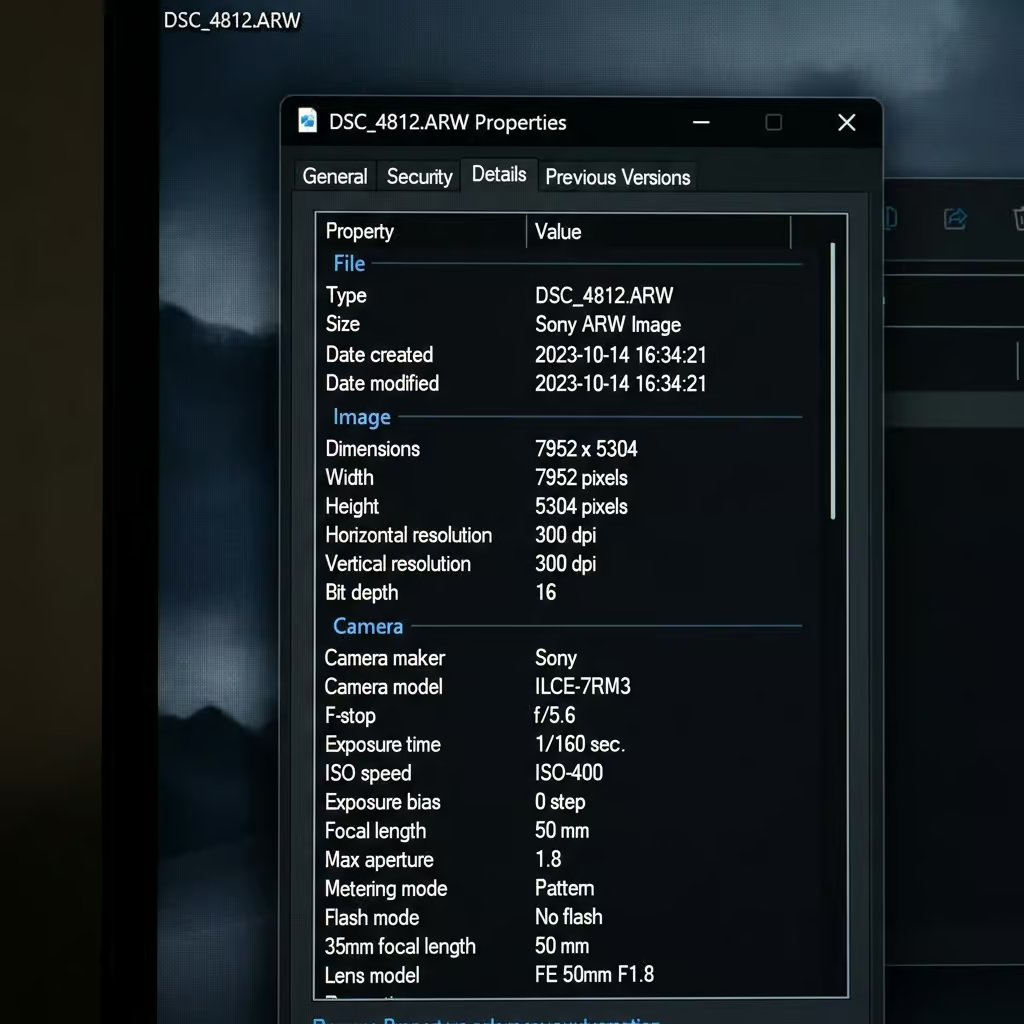
Successfully breaking the encryption often shatters the perceived value of the content itself. Inspect the original creation date within a downloaded file’s properties to verify whether an “exclusive” custom video is new or recycled media.
“Ripping a video exposes the raw file metadata, including the exact hardware used and the original creation date.”
A live stream hides a lot of reality. A raw local file does not. Sorting your newly minted downloads locally often reveals that an expensive, tailored custom video was recorded three years prior and sent out to dozens of paying consumers.
Battling endless encryption updates—much like chasing down an unsigned IPSW file or waiting on a buggy Jailbreak just to escape Apple’s locked-down iOS 18.1 ecosystem—is an exhausting grind. Shifting your financial support to inherently legal, creator-friendly points of sale like Fanspicy ultimately solves the problem at the root. When platforms don’t enforce DRM in the first place, you own the media you bought without needing a workaround to secure it.
Frequently Asked Questions
Is it actually safe to use browser extensions like ‘Downloader for Onlyfans’ to save my purchases?
No, you should be extremely cautious. Many of these popular extensions are sold to commercial entities that suddenly lock free features behind high paywalls or introduce malicious updates, making them a significant security vulnerability for your logged-in session.
Why do most web-based downloaders stop working after five minutes?
Free web proxies like Streamone bake in a rigid runtime limit to bait users into starting a download they can’t finish. These tools are designed to lure you in, but they will consistently cut off any long-form content once you reach the five-minute mark.
What is the difference between saving a public feed post and a premium Direct Message?
Public feed posts are technically simpler because they lack the secondary encryption layers applied to premium messages. Premium Direct Messages utilize sophisticated, high-tier encryption protocols, which is why standard downloaders often experience playback errors when targeting them.
Will I get banned for using automated terminal scripts or API scrapers to back up my content?
Yes, using API scrapers is almost guaranteed to trigger a platform ban. These tools generate high-velocity requests that don’t mimic human browsing behavior, immediately alerting backend security monitors to your activity and resulting in account suspension.
Why is UltConv recommended over simple browser-based downloading?
UltConv functions by using an integrated browser to mimic an authorized device at the client level, allowing it to bypass encryption that stops standard browser tabs. It is specifically designed to bridge the gap between standard streaming and the secured protocols used for Paid DMs.
How can I tell if a ‘custom’ video I purchased is actually new or recycled?
Once you successfully extract the file and break the encryption, you can inspect the file’s raw metadata. This data often reveals the exact hardware used and the original creation date, frequently exposing that supposedly exclusive content was recorded years earlier.
Are there platforms that don’t require these technical workarounds?
Yes, moving your support to creator-friendly alternatives like Fanspy allows for true ownership without the need for extraction tools. These platforms don’t enforce DRM in the first place, meaning you legally own the file the moment you complete your purchase.