
You know the feeling. You’re ten minutes out of a meeting and someone asks, “So what did we decide?” and you realize nobody wrote it down. The decision was made — or was it just discussed? The commitment was vague.
The deadline was implied. And now you’re either guessing or scheduling another meeting to figure out what the last meeting meant.
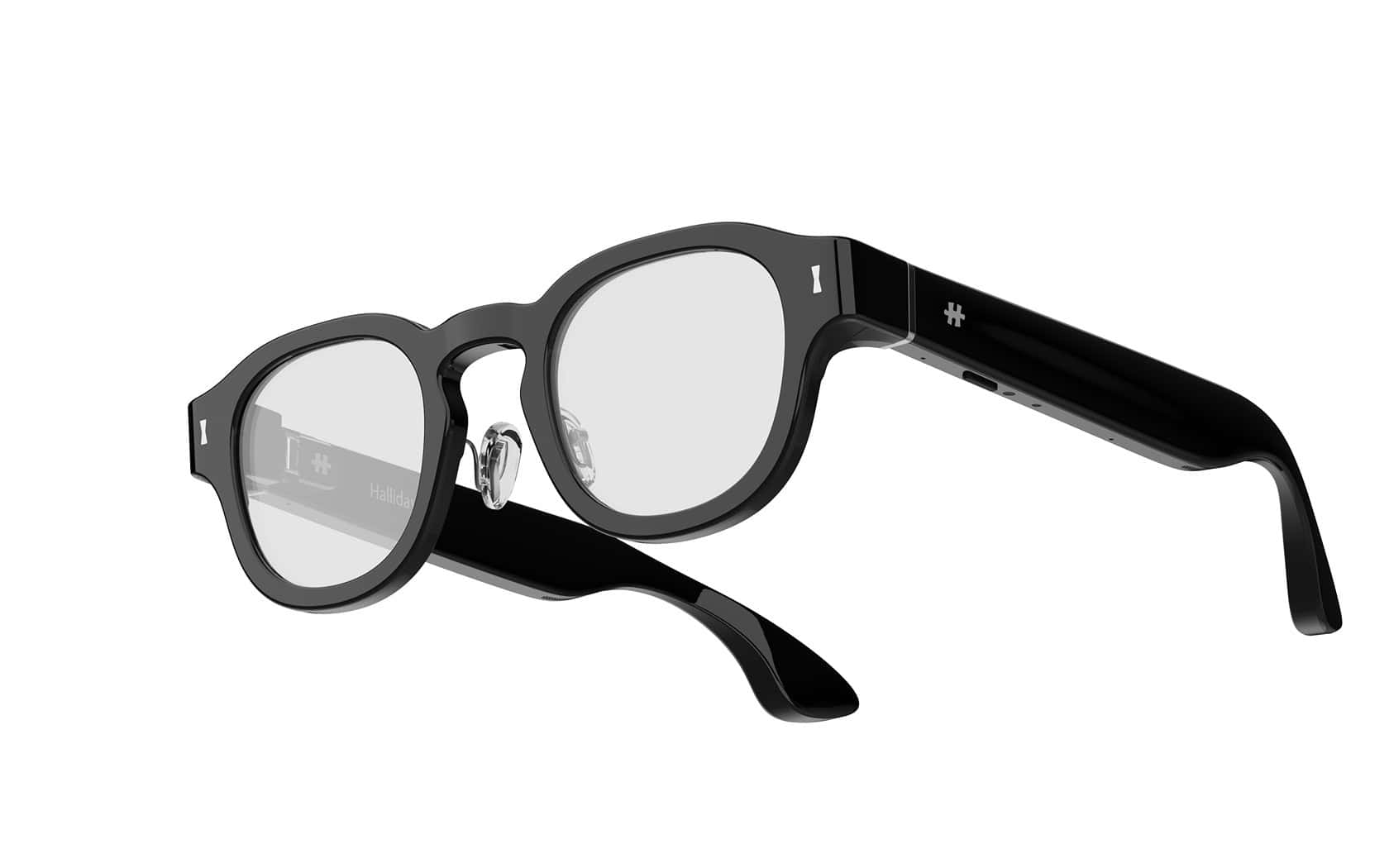
The Halliday G2 is designed to solve that problem. Halliday took a different bet: no camera, no video, no making everyone in the room uncomfortable. Just a binocular waveguide display and a four-microphone array tuned to follow the conversation in real time.
The result is a $599 pair of AI glasses built around Meeting Flow, a real-time meeting assistant that appears in the wearer’s line of sight. According to Halliday, the G2 ships in September 2026, and a $10 deposit right now locks in a $100 discount. All details here are pre-release and based on what Halliday told us.
Key Takeaways
The Halliday G2 has no camera, which makes it less awkward to wear in meetings and client settings than camera-equipped alternatives like the Ray-Ban Meta
Meeting Flow operates in three layers (Follow, Shape, Close) using parallel AI agents that automatically track decisions, commitments, and unresolved topics in real time
The $599 price tag comes with caveats: the under-50g weight is a target, the 1,600-nit brightness and 12-hour battery are company claims, and the September 2026 ship date could change
Table of Contents
Meeting Flow: The Three-Layer System That Follows, Shapes, and Closes Your Meetings
Meeting Flow is the whole reason the G2 exists. It’s a real-time meeting assistant that appears in the wearer’s line of sight while everyone else sees a normal pair of frameless glasses.
The system follows a natural meeting arc: Follow, Shape, and Close. Here’s how each layer works.
Follow: Live captions, instant summaries, and context-aware research
Three features live in the Follow layer — Caption & Translation, Quick Summary, and Quick Research — and two of them you have to ask for.
Caption & Translation shows live captions and multilingual translation in the wearer’s line of sight. The text appears above your line of sight — not center-frame, so you can still make eye contact while reading.
Quick Summary provides an on-demand recap of recent questions, decisions, names and deadlines. You initiate this one — it’s not automatic.
Quick Research works the same way. Mid-conversation, you can ask a question and get a context-aware answer displayed with a confidence level. Halliday shows you the confidence score and keeps the full sources in the companion app so you can fact-check later.
Shape: Tracking threads, confirming decisions, and catching commitments
Three automatic features — Thread Tracker, Decision Confirmation, and Commitment Check — work in the background.

Thread Tracker maps how a discussion has shifted and flags earlier topics that remain unresolved.
Decision Confirmation identifies emerging decisions, highlights ambiguity and suggests clarification before the room moves on. If someone says says that they think they should go with option A and nobody explicitly agrees, the system flags it as fuzzy.
Commitment Check detects commitments missing an owner, action or deadline. “I’ll send that over” without a deadline gets flagged. “Let me look into it” without a follow-up plan gets caught.
Bottom line: If someone says “I’ll send that over” with no deadline, the G2 flags it before anyone leaves the room.
Close: Open-item checklists and post-meeting records
The Close layer is about making sure nothing falls through the cracks before you move on to the next thing.
Open-Item Tracker maintains a live checklist of unresolved questions, unclear decisions and incomplete commitments as the meeting unfolds.
Post-Meeting Summary & Transcript creates a structured companion-app record of confirmed decisions, assigned commitments, unresolved items and the transcript.
Hardware & Everyday Use: What the G2 Is Built On
Meeting Flow is the star, but the hardware has to deliver to make any of this work in the real world. According to Halliday, the G2 represents a hardware evolution from the first generation. But several of the key specs are company claims, not independently tested numbers. Here’s what we know.
Display: Binocular waveguide with dual micro-LED projectors
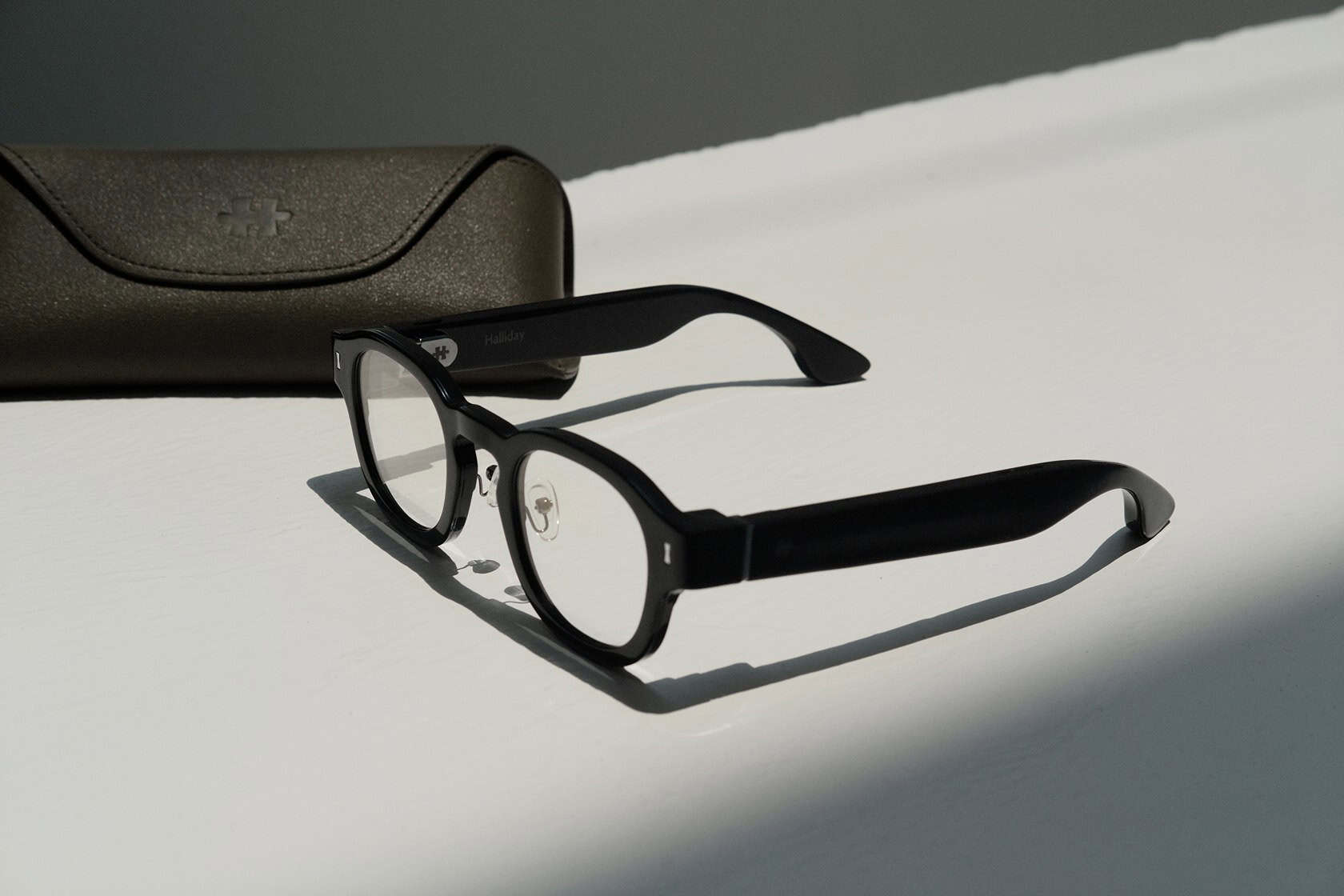
The old DigiWindow near-eye, lens-free display from Gen1 is gone. The G2 uses a binocular waveguide display with dual micro-LED projectors — one per eye, delivering 600×300 resolution per eye.
The display sits in your upper-field positioning, not center-frame. Halliday claims up to 1,600 nits peak brightness. There’s also a low-light dimming/Stealth mode that dims the display so it’s less noticeable in darker rooms. Per Halliday, the 1,600-nit figure is a company claim — nobody’s independently verified it yet.
Audio: Four-microphone array tuned for meetings
Meeting Flow only works if the glasses can actually hear the conversation. The G2 uses a four-microphone array specifically tuned for multi-person meeting capture and separating the wearer’s voice from others, not general voice assistant interactions. According to Halliday, the system can separate your voice from other speakers in the room and pick up audio up to 2 meters away. That’s a company claim, and we haven’t tested the real-world range.

Battery and weight: 12-hour claim and under-50g target
Halliday says the G2 can run for 12+ hours of typical use. And the target weight is under 50 grams. Both of these are stated as goals and company claims. The weight in particular is a target, not a final specification. It could change before September 2026.
Controls: Touchpad, buttons, and “Hey Halliday” wake word
You have multiple ways to interact: a frame touchpad, action button, power button and ‘Hey Halliday’ wake word for voice commands.
Daily functions: Beyond meetings
Meeting Flow is the headline, but the G2 handles the usual smart glasses tasks too: notifications, calls, music/audio, dashboard cards, Halliday AI Assistant and Cheatsheet teleprompter mode. The Cheatsheet teleprompter mode puts a script or speaking notes in your line of sight, and translation in 45+ languages is available through the Follow layer’s captioning system.
What Changed from Gen1: DigiWindow to Binocular Waveguide

The original Gen1 used something called the DigiWindow, a near-eye, lens-free display that was interesting but limited. The G2 replaces that entirely with a binocular waveguide display and dual micro-LED projectors, which is a step up in terms of image quality and field of view.
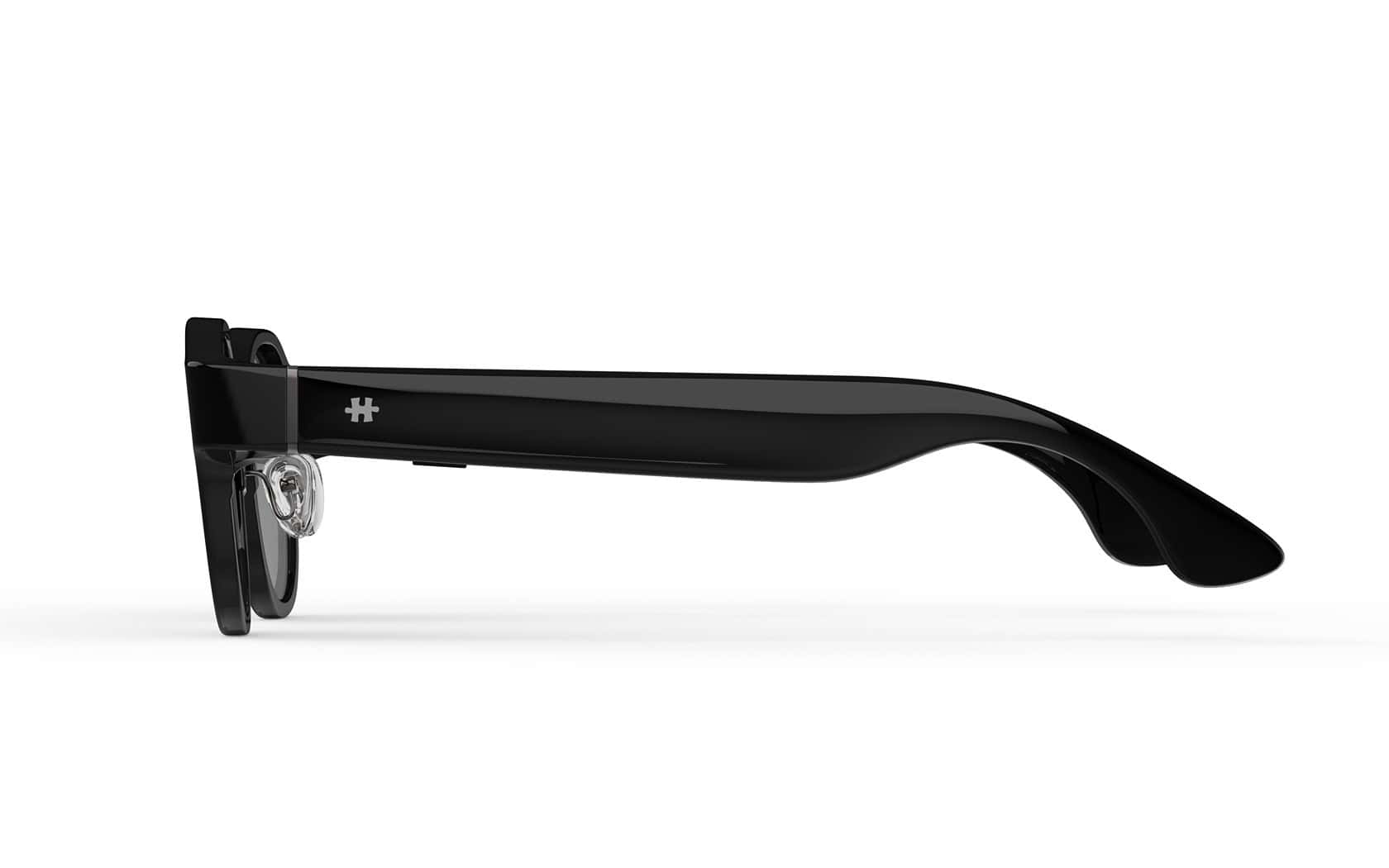
Gen1 was a wearable display looking for a use case. The G2 leads with Meeting Flow as the hero experience, and the meeting-tuned microphone array exists specifically to support it. What Halliday kept: the conventional frame styling that looks like normal glasses, prescription lens compatibility (planned, not guaranteed yet), the camera-free design, and the hands-free approach.
The bet is clear: go narrow and deep on professional meetings instead of trying to be a general-purpose AR device.
Why No Camera? The Privacy-First Design Choice
No camera. That’s the most notable thing about the Halliday G2.
Most smart glasses on the market — the Ray-Ban Meta being the most prominent example — lead with photo and video capture. That’s great if you want to document your day or share content. It’s terrible if you’re sitting across from a client who has no idea whether you’re recording the conversation.
Halliday made a deliberate call to leave the camera out. The G2 has a display and microphones. That’s it. No photos, no video, no way to secretly record what’s being said.
The trade-off is obvious: you can’t take photos or video with these. If that’s important to you, look elsewhere.
Who Is the Halliday G2 For? Target Audience and Use Cases
According to the company, the initial audiences include founders, executives, sales leaders, recruiters, consultants, product managers and team leads.
The use cases line up with those roles: client meetings, internal strategy sessions, multilingual calls, one-on-ones, and presentations where the Cheatsheet teleprompter mode gives you a safety net.
This isn’t a product for casual users, photographers, or social media creators. The G2 is a work tool first.
Pricing & Pre-Order Details: $599, $10 Deposit, September 2026
The expected price is $599. Halliday is running a reservation program where a $10 deposit secures a $100 discount, but that’s all the source confirms — what the final checkout price works out to after the $10 deposit is applied hasn’t been fully specified.
Shipping is planned for September 2026.
What to Keep in Mind: Pre-Release Caveats and Unverified Claims
The G2 hasn’t shipped yet, nobody outside the company has worn one, and several important details could change between now and September 2026. Here’s what to watch for.
Pre-release status and manufacturer-provided information
All features and specifications are pre-release and manufacturer-provided. Halliday could change the hardware, the software, the pricing, or the feature set between now and launch.
Weight, brightness, battery, and voice pickup: company claims
Four key specs — the under-50g weight target, 1,600-nit peak brightness, 12+ hour battery life, and 2-meter voice pickup range — are all claims from Halliday. None of them have been independently tested or verified.
Shipping timeline and launch features may change
September 2026 is the planned date, not a confirmed promise.
AI accuracy: Quick Research confidence level
Quick Research shows a confidence level with its answers. Halliday says the full sources remain in the companion app for fact-checking, but the system’s real-world reliability won’t be known until people can test it.
Halliday G2 vs. the Competition: How It Stacks Up
This isn’t a head-to-head review — we haven’t tested the G2 against anything, but it’s worth understanding where Halliday is positioning itself relative to what’s already out there.
Camera-equipped competitors like the Ray-Ban Meta focus on photo and video capture, with AI features as an add-on. They’re lifestyle-oriented devices first. The Halliday G2 deliberately omits the camera and leads with Meeting Flow, positioning it as a professional tool.
Other AI glasses like Even Realities and Rokid exist in the display-glasses space, but they have different display technologies and feature sets. Halliday’s differentiator is Meeting Flow as a structured meeting assistant rather than a general-purpose heads-up display.
The trade-off is clear: no camera means no photo or video capability, but it also means less resistance in meetings, client settings and privacy-sensitive workplaces. Whether that trade-off works for you depends on whether your primary use case is meetings or content capture.
Bottom Line: A Discreet Professional Tool, Not a Lifestyle Gadget
The Halliday G2 stands out as a professional-first wearable AI tool. Its appeal depends entirely on whether Meeting Flow can surface useful information quickly enough to help during a conversation without being distracting — and whether the hardware can deliver on its weight, battery, and microphone promises.
If you’re someone who attends meetings daily and wants to improve conversational outcomes — catching missed decisions, clarifying vague commitments, walking out with clear action items, the G2 is worth watching. But the hardware specs are unverified, the shipping date is a year out, and the final price after the deposit discount hasn’t been fully explained.
Pre-order if you’re willing to take the risk on a product that hasn’t shipped yet. Wait if you want to see real-world reviews first. Either way, the G2 is an interesting entry in the professional AI glasses space this year, precisely because it’s not trying to be everything to everyone.
Frequently Asked Questions
How much do Halliday glasses cost?
The Halliday G2 is expected to cost $599. A $10 deposit secures a $100 discount, though the final checkout price after the deposit hasn’t been fully specified. Shipping is planned for September 2026.
What can Halliday AI glasses do?
The Halliday G2 runs Meeting Flow, a real-time meeting assistant that appears in your line of sight. It can provide live captions and translation, generate on-demand summaries of missed conversation, track discussion threads, flag ambiguous decisions, catch commitments missing owners or deadlines, and produce post-meeting transcripts and action-item checklists.
How does Meeting Flow work on the Halliday G2?
Meeting Flow operates in three layers — Follow, Shape, and Close — using parallel AI agents. Follow handles live captions, summaries, and research. Shape automatically tracks discussion threads, flags fuzzy decisions, and catches commitments without owners or deadlines. Close generates a live checklist of unresolved items and a structured post-meeting record.
Who is the Halliday G2 for?
The G2 is designed for professionals who spend their days in meetings — founders, executives, sales leaders, consultants, product managers, and team leads. It’s a work tool for client meetings, strategy sessions, multilingual calls, and one-on-ones, not a lifestyle gadget for casual users or content creators.