
As you get older, you start to think of your legacy and what you’ll leave to your kids. I want to pass my knowledge down to my son and daughter, which led me to write a book I’m planning to release later this year. I quickly found out that preparing a raw manuscript for digital distribution is a technical minefield. You aren’t just uploading a text document into the void; you are navigating rigid retailer specifications that automatically reject amateur files on the spot.
If you are looking for an honest Word-2-Kindle review to determine if the formatting service is legitimate, reliable, and worth the cost, the short answer is yes. I hired Nick Caya and his team to prepare my upcoming manuscript, and they saved me from the overwhelming frustration of DIY formatting software. To see exactly how they operate, you can check out Word-2-Kindle. Navigating this project as a dad has been interesting—it often reminds me why single fathers perform better than single mothers when it comes to hands-on teaching, but that’s a story for another day.
Key Takeaways
Manual formatting eliminates the layout bugs that trigger Amazon retailer rejections, ensuring immediate technical compliance.
Standard file conversions start at a $49 baseline for basic text novels, with image-heavy non-fiction triggering per-page surcharges.
Final deliverables include a 14-day unlimited free revision window so authors can vet the file before platform launch.
Table of Contents
Word-2-Kindle Review: Evaluating It for Legacy Authors
Yes, Word-2-Kindle is a highly legitimate formatting company because automated DIY conversion tools routinely inject invisible formatting errors that trigger sudden technical rejections, making a human-assisted service essential for anxious first-time authors. Writing a book for my family was a deeply personal endeavor. I just wanted to share my story, but the thought of getting blocked by a hidden software glitch when I tried to officially publish on retail platforms was crushing.
Working with Word 2 Kindle erased that bottleneck entirely. Nick Caya’s team took my raw manuscript draft and managed the complex technical hurdles without treating me like an anonymous ticket number. It fundamentally shifts the entire self-publishing journey from a stressful software battle into a confident, professional rollout.
I cannot understate how crucial this is for new writers. You want to focus purely on preserving generational knowledge for your children, not deciphering endless layout restrictions for specific devices and e-readers.
“It fundamentally shifts the entire self-publishing journey from a stressful software battle into a confident, professional rollout.”
Word-2-Kindle Review Verdict: Turnaround Times and Platform Safety
The service proves its legitimacy by coupling swift file delivery with post-purchase safety nets that prevent DIY authors from encountering launch day errors. Knowing you have a dedicated grace period to fix typos protects your project from disaster.
The Reality of the 48-hour Delivery
Word-2-Kindle consistently delivers finalized formatting files within a strict 48-hour window from the moment you submit your approved draft. This speed is vital for independent publishers coordinating tight, multi-platform author marketing launches. The team has handled over a thousand distinct conversions since 2013, maintaining a streamlined workflow that prevents your project from lingering in a crowded queue. A look at their client testimonials validates this specific reliability rate. Independent writers like Sue Anne Dunlevie routinely highlight the team’s ability to swiftly rescue botch jobs originally completed by amateur freelancers. The agency simply gets the work delivered on schedule, which commands respect in the independent publishing space.
Free Revision Windows and Platform Safety Nets
The exact two-week timeline provides unlimited free edit requests, ensuring your files are perfect before a flat-rate revision fee takes effect. Reviewing files on a desktop simulator usually reveals trailing typos or spacing preferences you missed in your initial draft. During this 14-day revision window, the formatting team provides guaranteed platform acceptance, meaning they continually tweak the internal code until your book successfully passes through the automated submission gates of major retailers. This setup functions as the ultimate consumer protection policy. If you spot a minor error on day fifteen, fixing it triggers a modest $19 revision fee to redeploy the asset. That clear safety net systematically removes the severe anxiety of signing off on a completely finalized file on your very first try.
Formatting Cost Analysis: Base Rates Vs. Per-page Scaling
Calculating your exact project fee comes down to measuring your manuscript against strict graphical limitations, which dictates whether you pay a flat package rate or an incremental asset fee.
The $49 Baseline Text Formatting Package
To qualify for the heavily advertised $49 baseline rate, your manuscript must be a standard text novel under 400 pages with fewer than five static images. If your project fits this tight parameter, it represents an outstanding bargain for reliable eBook formatting. The pricing remains highly accessible because straight text requires minimal custom container sizing for different mobile screen sizes. Automated engines handle pure text reasonably well, but real technicians ensure the core spacing doesn’t snap. Additionally, the agency offers basic Print Formatting starting at $199 if you intend to push physical paperbacks alongside your digital release. That is a massive asset when you want a tangible copy of your legacy sitting on your bookshelf, rather than just a file living on a hard drive.
Image Limits and Per-page Surcharges
Authors must manually audit their manuscript against the strict five-image limit to accurately calculate whether the variable scaling rate will trigger. Complex formatting inherently requires costly manual layout adjustments, leading to a per-page surcharge ranging from $0.50 to $1 per page. If you submit a massive 300-page training manual loaded with nested tables and fifty instructional graphics, the $49 flat rate is immediately off the table. Specialized structures shift into distinct premium package tiers outright. Producing image-heavy kids’ books or structured cookbooks jumps straight to a base starting price of $99 due to the intensive fixed-layout demands. It is vital to audit your files honestly before submitting them for a quote so you aren’t financially blindsided.
Technical Execution: Manual Layout Coding for KDP Compliance
The agency eschews automated plugins in favor of deliberate, manual coding processes to prevent the hidden internal bugs that cause immediate digital retailer rejection.
Crafting Compliant Metadata and Navigation
Professional text structuring is a rigid requirement mandated by digital retailers to legally define an interactive, professional reading experience. Getting proper chapter tagging coded correctly is an absolute technical necessity to ensure you generate a navigable table of contents.
Automated converters routinely scramble these internal digital tags, leaving your readers stranded in the middle of a chapter with no clickable index to jump backward or forward through the book. For example, free converters frequently mislabel core metadata like standard <h1> and <h2> header tags, breaking the document’s hierarchical logic. They also fail to construct valid XML <nav> elements, which are required for modern device menus. By manually parsing and coding these transition points by hand, the formatting technicians ensure the book passes the automated retailer compliance checks on the first attempt without triggering software flags.
Ensuring Accurate Device Rendering Across Screens
Human intervention easily surpasses one-click software when optimizing files to scale fluidly across countless digital e-readers. By relying entirely on manual hand-coding, the team guarantees flawless device rendering on high-resolution hardware like the iPad, Android smartphones, and traditional grayscale screens. The strict compliance standards of Amazon KDP specifically require responsive layout reflowing so the text automatically expands, contracts, and wraps to fit varying screen dimensions.
Cheap conversion software typically locks text blocks into static positions, resulting in frustrated readers squinting at broken paragraphs that bleed off the edges of their mobile devices. Doing it by hand eliminates that friction outright.
Dual File Delivery and Local Proofing
You must use recommended desktop preview software to visually inspect the delivered deliverables on simulated tablet interfaces prior to final approval. The agency delivers Mobi/ePub files to secure seamless cross-platform compatibility across disparate storefront platforms, including Apple Books, Kobo, and Smashwords. Starting with your raw Microsoft Word draft, the technical transformation happens quickly.
When you receive these final digital files, you download the official Kindle Previewer software to conduct thorough local file vetting directly on your personal computer. This required application simulates precisely how the manuscript will appear on physical e-ink screens or color tablets, exposing any lingering line-break issues before you attempt an upload to global retail servers.
Publishing Add-ons: Editing, Book Scanning, and Cover Design
Beyond simple file creation, the company operates as a comprehensive preservation hub by offering physical hardware digitization, grammatical repair, and retail aesthetic packages.
Structural and Grammatical Refinement
The pre-publishing editorial pipeline fixes lethal narrative pacing issues and typographical flaws before the digital layout process ever begins. Formatting simply makes a file readable on a screen; it doesn’t make the writing itself inherently good. Authors can purchase Developmental Editing for comprehensive structural refinement, costing $16 per thousand words to aggressively repair plot holes and dead narrative flow. If the overarching story is already solid, a lighter Copyediting pass available at $8 per thousand words catches the stray inconsistencies, typos, and comma splices. Utilizing these refinement packages acts as a vital safety filter for authors drafting without a traditional publishing house umbrella.
Legacy Book Digitization Packages
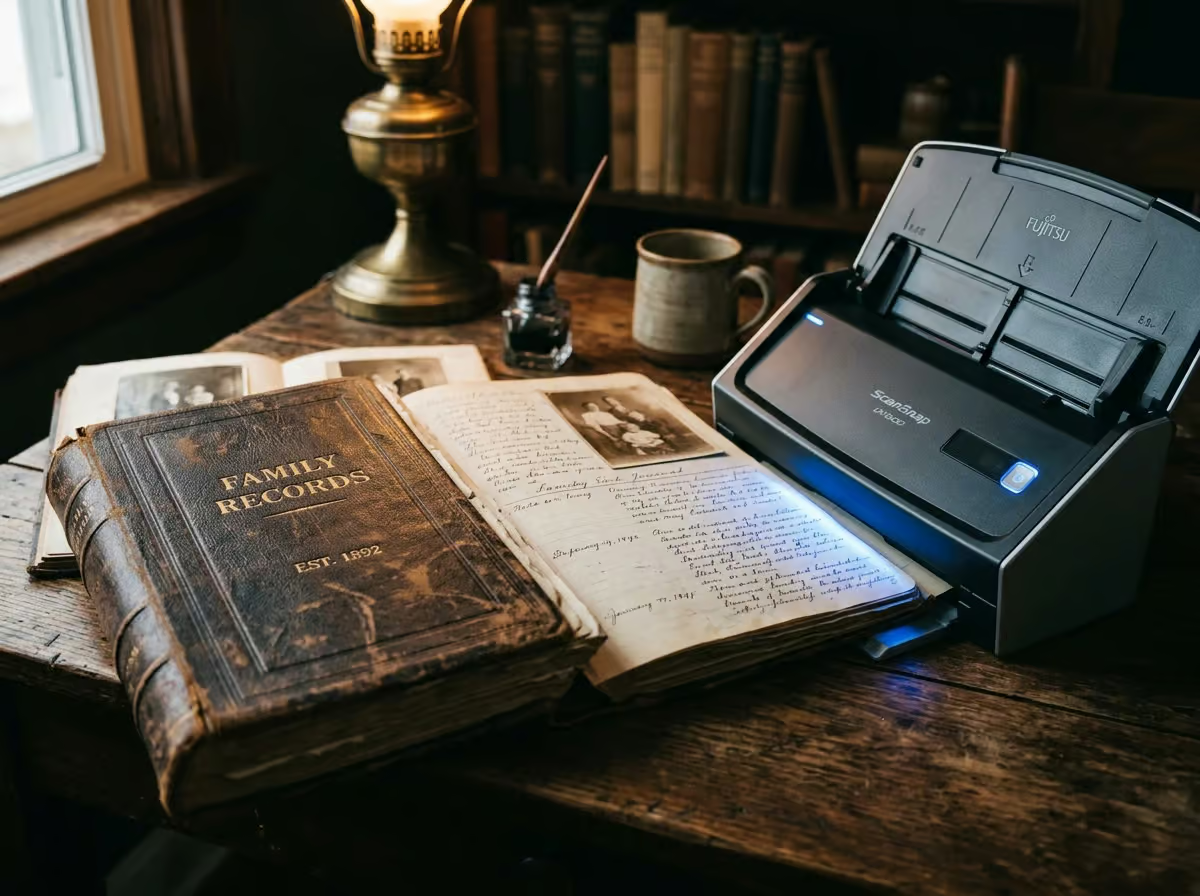
The specialized electronic hardware service allows families to transform older physical heirloom manuscripts into editable files without completely retyping them by hand. The $99 Book Scanning capability translates your physical family books into a clean word processor file, which is a massive operational timesaver for pure legacy digitization projects.
Instead of laboriously retyping a 300-page grandparents’ memoir line by line, the optical scanner handles the heavy lifting instantly. They also offer a combined $399 bundle that converts the physical book into both a retail eBook format and a high-resolution Portable Document Format file ready for physical print-on-demand fulfillment services like CreateSpace.
Digital and Physical Cover Design
Storefront visibility requires a premium visual approach rather than relying solely on the free basic photo manipulation included in their entry-level conversion packages. Effective thumbnail scalability is the primary objective of professional Book Cover Design, meaning the art must remain legible when shrunk down on a mobile phone screen.
While the agency provides a complimentary basic jacket populated with pre-licensed stock imagery and author text alongside any formatting package, serious authors need an upgrade. Paying the $99 fee for premium digital manipulation—or $199 for full physical wrap covers that include integrated spines—ensures the final product legitimately competes on a crowded virtual retail shelf.
Final Recommendation: Partnering for Your Legacy Manuscript
Hiring a dedicated formatting team is an investment in emotional reassurance, completely eliminating the brutal trial-and-error cycle of free automated formatting tools. Writing a book is difficult enough without spending a month fighting error codes just to get your file recognized by Apple Books and Amazon.
My own experience preparing my manuscript proved that having a knowledgeable human operator actively guide you through the process is worth the modest base price. If you are a father, mother, or industry expert ready to release your knowledge into the world, bypass the DIY headaches. You can submit your draft confidently, knowing human-assisted file preparation structurally guarantees a successful and stress-free launch.
Frequently Asked Questions
How much does Word-2-Kindle actually cost to format a manuscript?
A basic text novel under 400 pages with fewer than five static images hits the flat $49 baseline rate. Exceeding those tight parameters or uploading image-heavy non-fiction triggers a per-page manual formatting surcharge of $0.50 to $1.00. Specialized fixed-layout projects like cookbooks and children’s books skip the baseline entirely and start at $99.
Why does manual hand-coding beat free automated DIY conversion tools?
Automated software routinely injects hidden internal layout bugs that cause digital retailers to immediately reject your file upon upload. Hand-coding structurally guarantees compliance so your text fluidly expands and wraps to varying screen sizes without breaking. It completely eliminates the friction of readers squinting at static, bleeding text blocks on their mobile devices.
Can I fix lingering typos after Word-2-Kindle delivers my formatted file?
Yes, their delivery includes an immediate 14-day unlimited free revision window to fix minor spacing errors or typos. During this grace period, technicians will continually tweak the internal code to guarantee platform acceptance. Spotting a typo on day fifteen requires a modest $19 redeployment fee to fix.
What’s the difference between their developmental editing and copyediting add-ons?
Developmental editing is a heavy structural intervention costing $16 per thousand words to aggressively repair plot holes and dead narrative pacing. Copyediting is a lighter pass at $8 per thousand words reserved for solid stories that just need stray typos and comma splices fixed. Formatting alone simply makes text readable on a screen; it won’t fix bad writing.
How does the legacy book digitization service work for older physical books?
Instead of laboriously retyping an old family memoir line by line, Word-2-Kindle uses an optical scanner to instantly translate physical pages into a clean word processor file for $99. Families can also purchase a $399 bundle that converts a physical book directly into retail-ready eBook formats and high-resolution PDFs for print-on-demand fulfillment.
What specific digital files will I actually receive for upload to retail platforms?
The agency provides both the global ePub format and the legacy Mobi format to ensure seamless compatibility across all disparate digital storefronts. You are expected to vet these specific files locally using software like Kindle Previewer to simulate the tablet reading experience before officially uploading them to Amazon or Apple.