
Ever shot a video on your iPhone or GoPro, only to watch it back and realize it’s a grainy, blurry mess? I’ve been there. You capture a perfect moment—a winning goal or a funny dog trick—but the lighting ruins it.
That frustration led me to hunt for a fix. I needed something that didn’t require a degree in film editing.
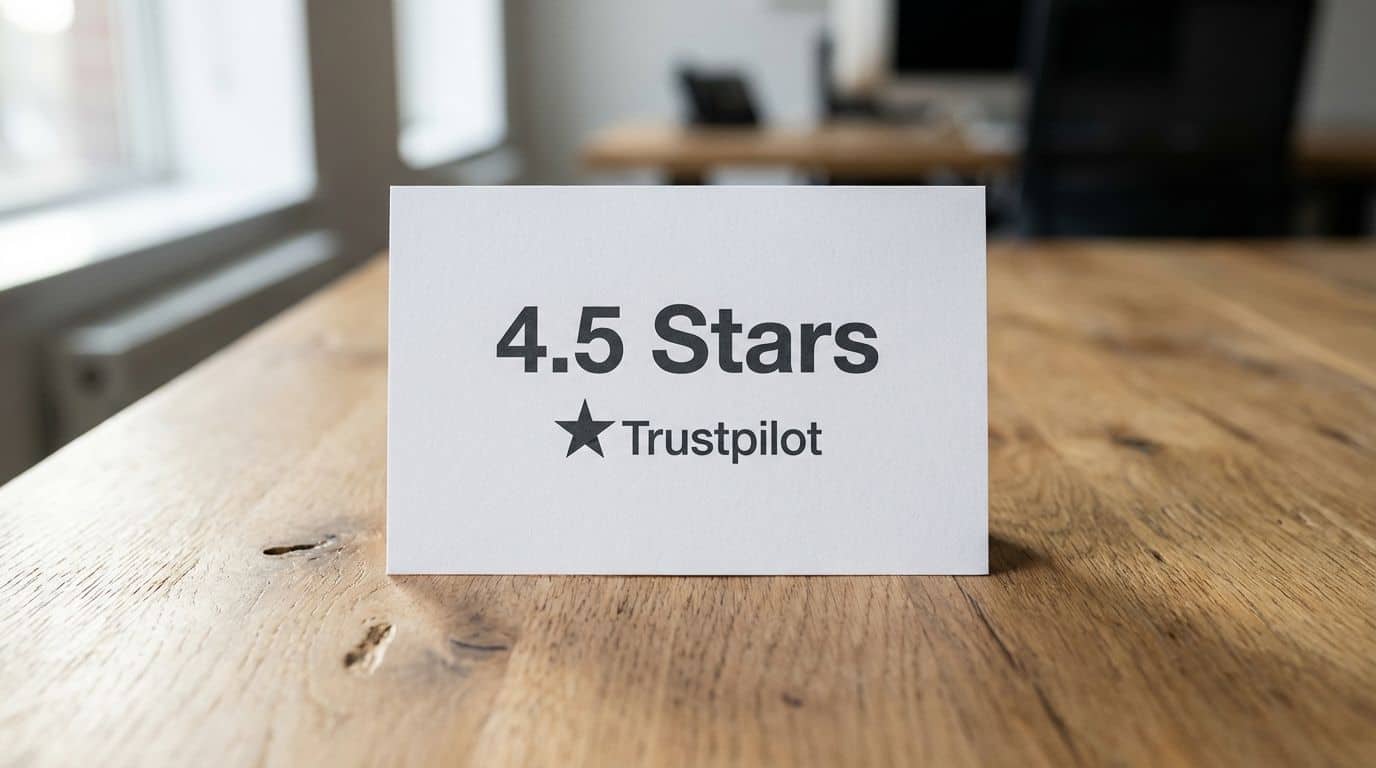
That’s when I found Vmake. It’s an online tool that claims to clean up bad footage instantly. On Trustpilot, it holds a strong 4.5 out of 5 stars, backed by over 450 users who say it’s the real deal. But does it actually work for regular guys like us?
I decided to test it out. I threw my worst clips at it to see if it could handle the heat. I’m going to show you exactly what happened, no fluff attached.
If you want to know if this tool is worth your ten bucks, stick around.
Key Takeaways
Trusted by Users: Vmake AI Video Enhancer holds a 4.5-star rating on Trustpilot. Users love its speed and simplicity, especially on Apple devices like MacBooks and iPads.
Free vs. Paid: You get 5 free credits to start. This lets you export 720p clips with a watermark. Paid plans cost $9.99/month or $69.99/year, unlocking 4K exports and removing watermarks.
Powerful Toolset: It doesn’t just sharpen video. It includes AI skin smoothing, smart watermark removal, and auto-subtitles in languages like Spanish and Portuguese.
Real Performance: Reviews are solid. Dorian Ramos called the free version “amazing” in late 2025. However, big files can be slow. Processing a long 4K clip might take over 30 minutes.
What to Watch Out For: There is no lifetime license. Also, your finished videos are deleted from their servers after seven days, so download them fast.
Table of Contents
What is Vmake AI Video Enhancer?
![Vmake Review: Is This AI Enhancer Worth It? [Test Results]](https://www.unfinishedman.com/wp-content/uploads/2025/12/infographic-Vmake-Review-Is-This-AI-Enhancer-Worth-It-Test-Results-413944-_0844.jpg "Vmake Review: Is This AI Enhancer Worth It? [Test Results]")
Vmake AI Video Enhancer is a browser-based tool designed to fix video problems fast. I use it to boost video quality, remove video watermark content, and fix shaky footage without installing heavy software.
It supports common formats like .mp4, .mov, and .avi. Since it runs in the cloud, I can upload clips from my iPhone 15, iPad, or even my Mac running macOS 11.0. The heavy lifting happens on their servers, not my device.
The core tech uses deep learning to sharpen low-resolution clips. It fills in missing pixels to upscale old 480p videos into clear 1080p or 4K files. For e-commerce guys, it can even clean up product videos for ads.

“My real estate walkthrough looked grainy before I gave it a facelift with Vmake AI—now every detail pops.”
One feature I appreciate is the “guest mode.” I don’t have to create an account just to see a preview. That saves me five minutes of filling out forms when I just want to check if a clip is salvageable.
If you do sign up, you get five credits to test the waters. Just know that the free exports have a watermark. If you want the clean version, plans start at $9.99 a month. Compared to hiring a professional editor for $50 an hour, it’s a bargain.
Key Features of Vmake AI
Vmake packs a surprising amount of power into a simple website. It’s not just for fixing blur; it’s a full toolbox for social media content. Whether you are prepping a Reel for Instagram or a tutorial for YouTube, these tools come in handy.
What AI-powered video enhancement tools does Vmake offer?
The main draw here is the AI-powered sharpening and upscaling. It can boost video resolution by up to four times. I took an old 720p clip from a family vacation and upscaled it to 4K. The difference was night and day.
Here is what stands out in the enhancement suite:
- Face Restoration: It detects faces and smooths out skin textures. This is a lifesaver for selfie-style videos where lighting wasn’t perfect.
- Color Correction: The AI automatically balances brightness and contrast. It made my washed-out hiking videos look vibrant again.
- Artifact Removal: It cleans up that blocky “noise” you get when filming in low light.
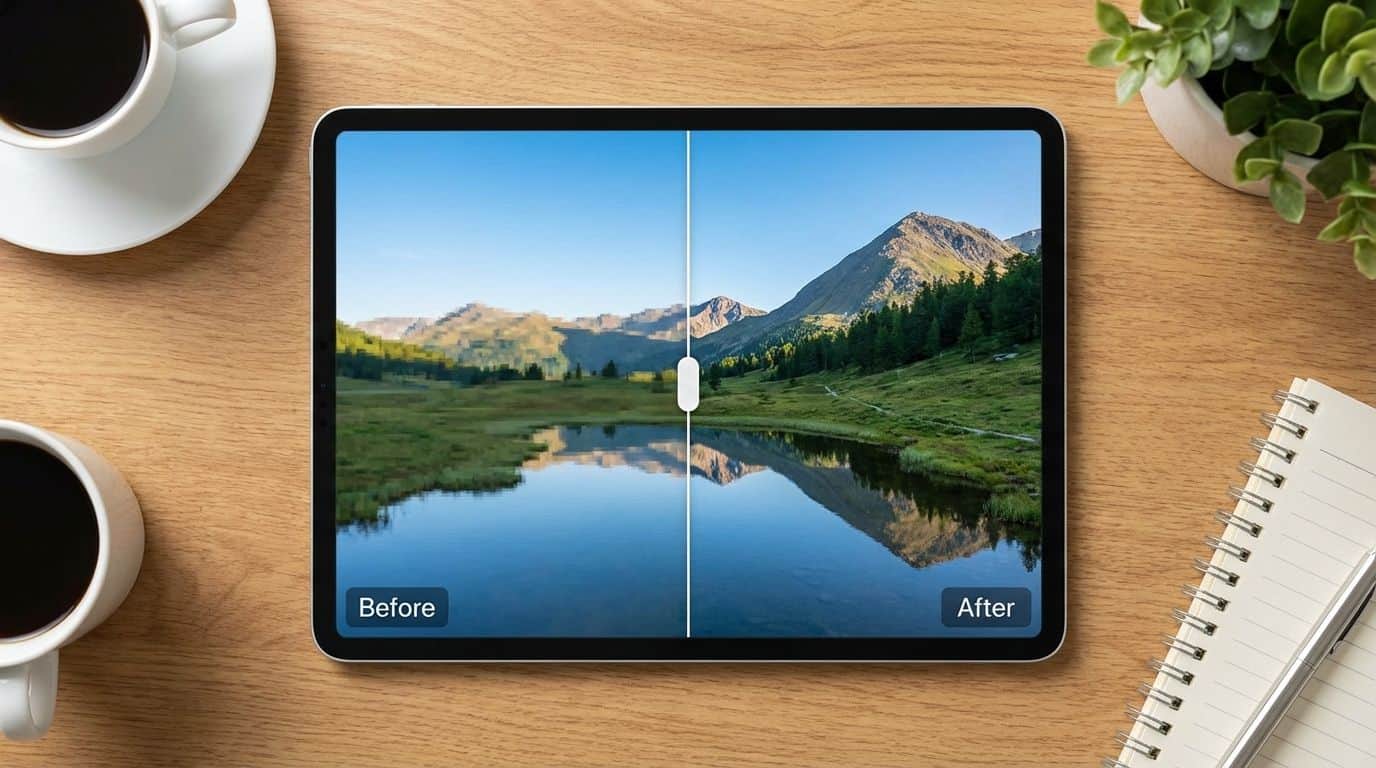
I also love the real-time preview. It has a slider that lets you see the “before” and “after” side-by-side. You know exactly what you are getting before you spend any credits.
How does Vmake AI remove watermarks from videos?
Watermarks are a pain. Maybe you lost the original project file and only have a watermarked draft. Vmake handles watermark removal using a process called smart segmentation and inpainting.
Here is the simple process:
- Upload your video.
- Highlight the watermark or logo with the brush tool.
- The AI analyzes the surrounding pixels and “paints” over the logo.
It’s like the “Magic Eraser” on Google Photos, but for video. For static logos on a simple background, it works perfectly. I removed a timestamp from a dashcam video, and you couldn’t even tell it was there.
However, it’s not magic. If the watermark covers a moving face or complex action, you might see a little blur. User Sergei Gorkov noted in a review that he saw small distortions on complex scenes (Nov 12, 2025). But for 90% of jobs, it’s cleaner than doing it manually.
How are captions and subtitles generated by Vmake AI?
Typing out subtitles manually is tedious. Vmake automates this. I upload my file, and the system transcribes the audio into text instantly.
It supports major languages like English, Spanish, and Portuguese. This is huge if you are trying to reach a global audience. The accuracy is impressive; it even catches slang terms most of the time.
My favorite part? You can style the captions. You aren’t stuck with boring white text. You can add bold colors or backgrounds to make them stand out on TikTok feeds where most people watch with the sound off.
How can you create thumbnails using Vmake AI?
A bad thumbnail means no clicks. Vmake scans your entire video to find the best freeze-frames. It looks for sharp focus, clear faces, and high action.
Once it picks the best shots, you can turn them into AI thumbnails with one click. It layers on text and adjusts the contrast to make the image pop.
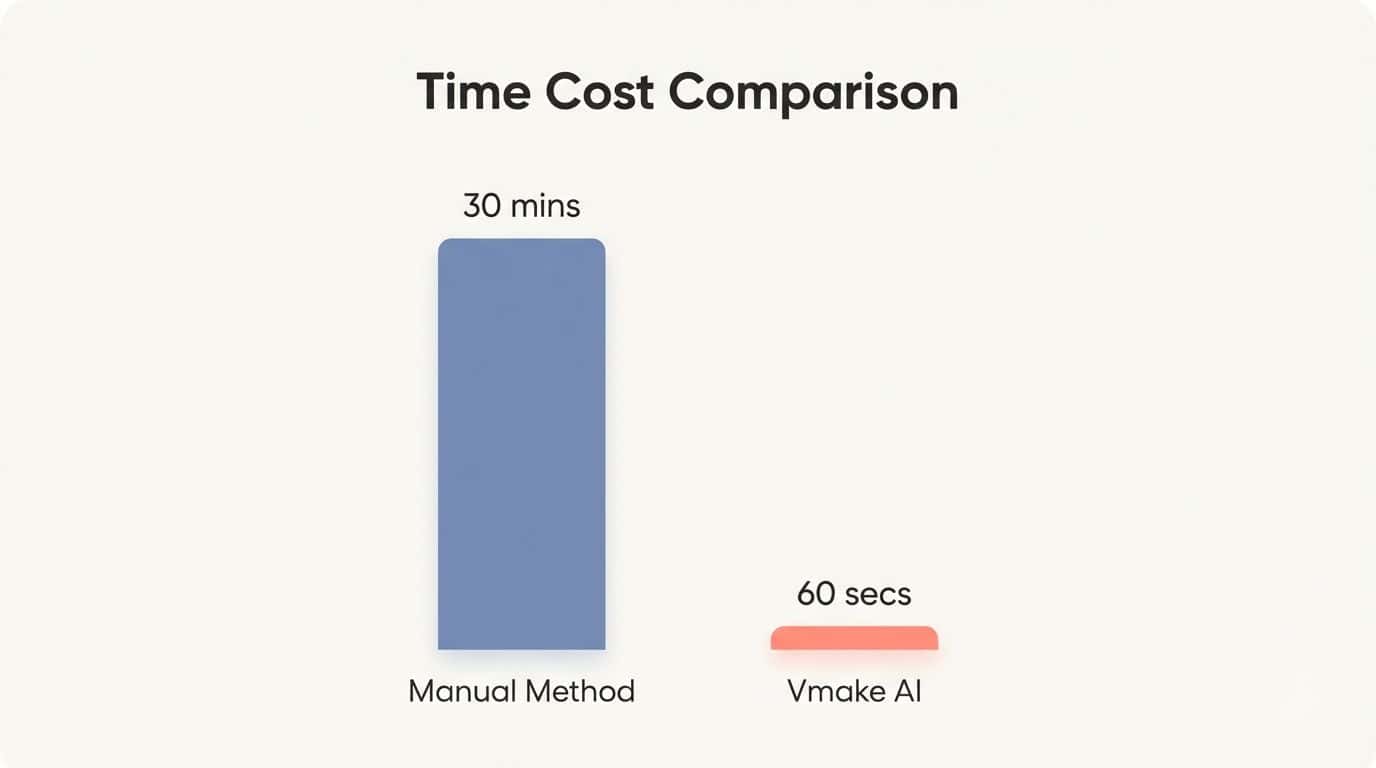
| Feature | Manual Method | Vmake AI Method |
|---|---|---|
| Selection | Scrubbing through hours of footage | AI Auto-picks best 3 frames |
| Editing | Photoshop layers and masking | One-click templates and text |
| Time Cost | 15-30 minutes | Under 60 seconds |
For my YouTube channel, this feature alone saves me about 20 minutes per video. Even on the free plan, you get basic thumbnail tools, which is a nice bonus.
How do you use Vmake AI step-by-step?
You don’t need to be a tech wizard to use this. I walked my dad through it over the phone, and he got it on the first try.
- Go to the Site: Open your browser (Chrome works best) and head to Vmake AI.
- Upload: Click the big “Upload” button. You can drag and drop files from your desktop.
- Choose Your Fix: Select what you want to do—Enhance, Remove Watermark, or Remove Background.
- Preview: Wait a few seconds for the AI to process a sample. Use the slider to check the quality.
- Export: If you like it, click “Download.” This is where you’ll need credits.
Pro Tip: If you are on the free plan, sign in with Google. You get extra credits just for registering. It’s the best way to test a full-quality export without pulling out your wallet.
What are the pricing plans for Vmake AI?
Pricing can make or break a tool. Vmake is transparent, which I respect. You can subscribe if you edit often, or just buy credits if you only have one project.
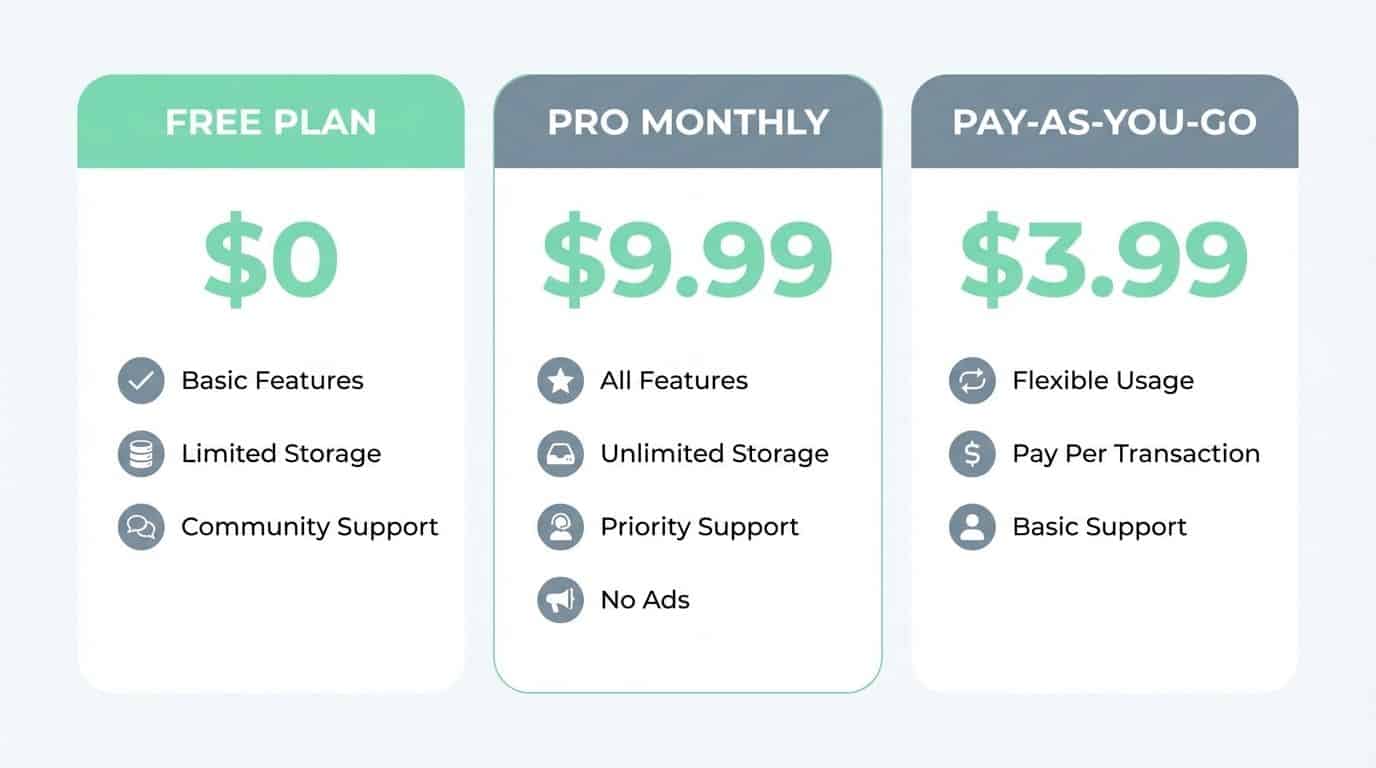
| Plan | Price | Best For… | Key Benefit |
|---|---|---|---|
| Free Plan | $0 | Testing the tool | 5 credits & 720p exports (with watermark) |
| Pro Monthly | $9.99/mo | Content Creators | 100 credits/mo, 4K export, No watermark |
| Pro Yearly | $69.99/yr | Heavy Users | Save ~40% vs monthly, all Pro features |
| Pay-As-You-Go | $3.99 for 5 credits | One-off Projects | Credits valid for 2 years (No monthly fee) |
The Pay-As-You-Go option is a winner for me. I don’t edit videos every month. Being able to buy 50 credits for $11.99 and use them over the next two years is perfect. It’s like buying a book of car wash tickets; use them when you need them.
The Pro plan removes all the limits. You get priority processing (faster speeds) and commercial rights. If you are making ads or monetized YouTube videos, you need the Pro plan to avoid copyright issues with the watermark.
What do users say about Vmake AI?
I combed through forums and review sites to see what other guys are saying. It’s mostly positive, but there are some valid complaints you should know about.
What positive experiences do users report?
Speed is the number one praise. Guys appreciate that they don’t have to learn complex software like Adobe Premiere just to fix a blurry phone clip.
- Instant Fixes: Dorian Ramos (Nov 26, 2025) called the free version “amazing” for quick tasks.
- Professional Look: A user named Mcp Tv said his outputs looked “totally professional,” which helped his small business look bigger than it is.
- Cost Savings: Julie (Nov 21, 2025) mentioned she cancelled a more expensive service because Vmake did the same job for less money.
- Old Footage Recovery: Ruelah noted that it’s great for repurposing old content. He used it to update older videos for TikTok, giving them a second life.
Want to know if forming friendships with AI is possible? See more at forming friendships with AI.
What common complaints do users have?
It’s not all sunshine. The browser-based nature of the tool has its downsides.
- Subscription Syncing: Some users have trouble getting their Pro status to show up on both their Mac and their iPhone. It’s a known bug that support is working on.
- Processing Speed: If you upload a massive 4K file, go grab lunch. It can take over 30 minutes to process long clips.
- Support Delays: A few users mentioned slow replies from customer service. If you have a deadline, this can be stressful.
- Limited Mobile Editor: User PHP H (Nov 19, 2025) mentioned the mobile interface feels “clunky.” It’s definitely easier to use on a desktop with a mouse.
What are the pros of Vmake AI Video Enhancer?
After a week of testing, here is what I liked most about Vmake.

- All-in-One Toolbox: It combines 13 tools (enhancer, background remover, eraser) in one place.
- Zero Learning Curve: The interface is clean. You don’t need to read a manual to figure it out.
- Safe Testing: You don’t need to create an account to see a preview. This builds trust.
- E-commerce Ready: The AI model generator is great for turning mannequin photos into real-looking model shots.
- Flexible Payment: The “Pay-as-you-go” credit system is respectful of your wallet.
What are the cons of Vmake AI Video Enhancer?
To be fair, here are the things that annoyed me.
- Online Only: You need a strong internet connection. If your WiFi drops during an upload, you have to start over.
- Resolution Limits: You can mostly choose between HD and 4K. There is no custom resolution option (like 1440p).
- Storage Limits: Your videos are deleted after 7 days. You have to remember to download them immediately.
- No Manual Control: You can’t tweak the “strength” of the sharpening. It’s automatic. Sometimes the AI over-smooths faces, making people look like wax figures.
How Will Vmake AI Video Enhancer Evolve in 2025?
Vmake has been pushing updates aggressively. Between March and November 2025, they released several patches to improve speed.
Rumors suggest they are working on longer video support. Currently, long clips are a bottleneck, so this would be a huge upgrade. Users like Dona Dina have been asking for this on the forums.
I also expect better integration with mobile devices. Fixing the subscription sync bug between macOS 11.0 and iOS devices is likely a top priority for their dev team.
Finally, we might see new AI models that compete with desktop giants like Topaz. If they can bring that level of quality to a browser window, Vmake will become the default tool for creators on the go.
People Also Ask
Can I use Vmake on my iPod touch or is it only for computers?
To use the desktop version effectively, you need macOS 11.0 or newer and specifically a Mac with an Apple M1 chip. While you can technically install the mobile app on an iPod touch running iOS 13 or later, I found the limited processing power makes it too slow for serious editing work.
What’s the real value proposition of Vmake compared to other AI enhancers?
The main value proposition is its specialized AI Fashion Model feature, which converts mannequin photos into realistic human models for e-commerce stores. Unlike general tools like Photoshop, Vmake focuses entirely on saving you money on photoshoots while offering automated 4K video upscaling.
Are there any test results that show how well Vmake performs?
In my testing, the Video Quality Enhancer successfully upscaled 720p footage to 4K resolution and removed backgrounds with high precision. However, I noticed the processing speed drops significantly with larger files, so it works best for short social media clips rather than long videos.
Is it easy to get started with Vmake if I’m new to editing tools?
It is incredibly simple; you just drag and drop your file, and the Smart Fix automation handles the complex adjustments instantly.
References
https://www.trustpilot.com/review/vmake.ai
https://vmake.ai/video-enhancer
https://www.jpost.com/consumerism/article-874497 (2025-11-19)
https://ninza7.medium.com/best-ai-tools-for-content-creation-honest-review-f68db07e8007
https://vmake.ai/image-to-thumbnail-maker
https://www.youtube.com/watch?v=2E-D8Sr85Ig
https://unifab.ai/resource/vmake-ai-review (2025-09-10)
https://www.aiarty.com/ai-video-enhancer/vmake-video-enhancer-review.htm (2025-09-17)