Does your kid keep asking, “Dad, is Roblox safe for kids,” and you’re stuck between “it seems fine” and “this feels like the whole internet in a trench coat”?
You can make Roblox a lot safer with the right parental controls, but you also need to understand what the guardrails can and can’t do.
I’m going to walk you through the real risks, the newer safety changes, and the exact settings I’d lock down first so you can feel confident saying yes (or no) in a way that fits your family.
Key Takeaways
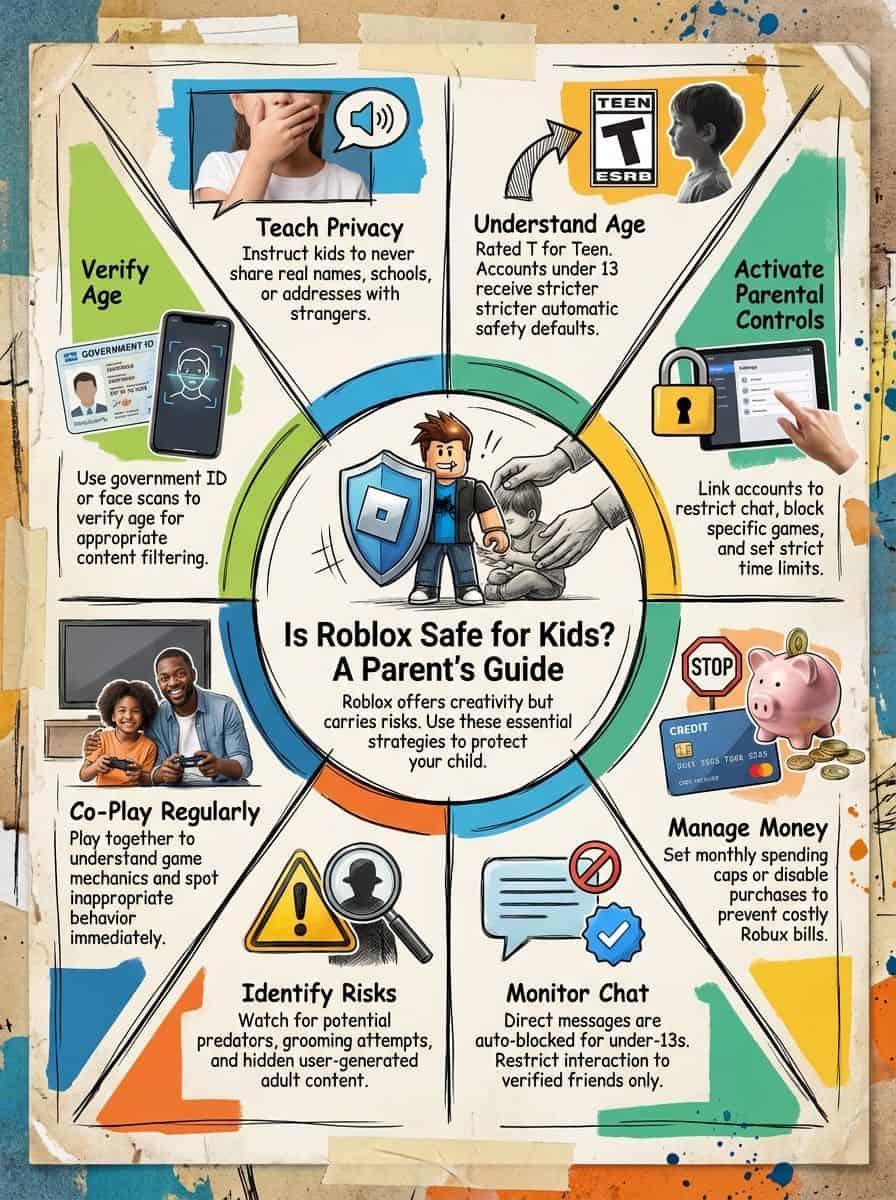
Roblox has an ESRB T for Teen rating and uses the descriptor Diverse Content: Discretion Advised, plus interactive elements like Users Interact and In-Game Purchases, which is your signal that player chat and spending are part of the experience.
Roblox experiences are labeled with content maturity labels (Minimal, Mild, Moderate, Restricted) so you can block categories that don’t match your kid’s age and temperament.
As of January 7, 2026, Roblox began rolling out facial age checks required to access chat, and kids under 9 have chat in experiences set to off by default unless a parent consents after an age check (per Roblox’s January 2026 safety update).
Money moves fast on Roblox. Use spending limits and alerts: Roblox’s parental controls can notify you when monthly spend hits $100, $250, and $500, and can be set to alert on every transaction if you prefer.
Table of Contents
What is Roblox?
Roblox is a free-to-play, massively multiplayer online platform by Roblox Corporation, where people make and play games (Roblox calls them “experiences”).
Your kid can build an avatar, join experiences with friends, chat or use voice in supported spaces, and spend the platform’s in-game currency (Robux) on items, perks, and subscriptions.
It runs on Windows computers, phones and tablets, consoles like Xbox and PlayStation 4, and even VR through Meta Quest, which is why it can show up everywhere in the house at once.

What kind of platform is Roblox?
Think of Roblox as a social gaming platform: it mixes “watch what other people made” energy with multiplayer gaming, so kids don’t just play, they also browse a giant library of user-created experiences.

If you’re trying to judge how big it really is, Roblox reported 111.8 million average daily active users in Q2 2025, which helps explain why your kid’s friends all seem to be on it at the same time.
- Cross-platform play: Your kid can join the same experience from a phone, a console, or a PC, so device rules matter.
- VR exists: Roblox is available on Meta Quest, and Roblox’s own support notes there are 50,000+ experiences available in VR, with a minimum age requirement for Quest access.
- Creation is built in: Kids can make experiences and items using Roblox Studio, which is great for creativity but adds extra safety and spending angles.
What types of games can kids play on Roblox?
Roblox has everything from obstacle courses (obbies) and tycoons to roleplay, sports, horror, and social hangouts. That variety is fun, but it’s also why you’ll want to use filters instead of trusting a single “kid-friendly” label.
Some classics families mention are Work at a Pizza Place, SharkBite, and Natural Disaster Survival, but the bigger point is this: creators can publish fast, trends change weekly, and experiences can feel very different from one server to the next.
- Use the experience page like a “box label”: check the content maturity label and the descriptors before your kid joins.
- Prefer known developers and private play: if an experience offers private servers, it can reduce random interactions (you still need chat rules).
- Watch for re-uploads and “bait” titles: shady experiences often copy names and thumbnails to look like something popular.
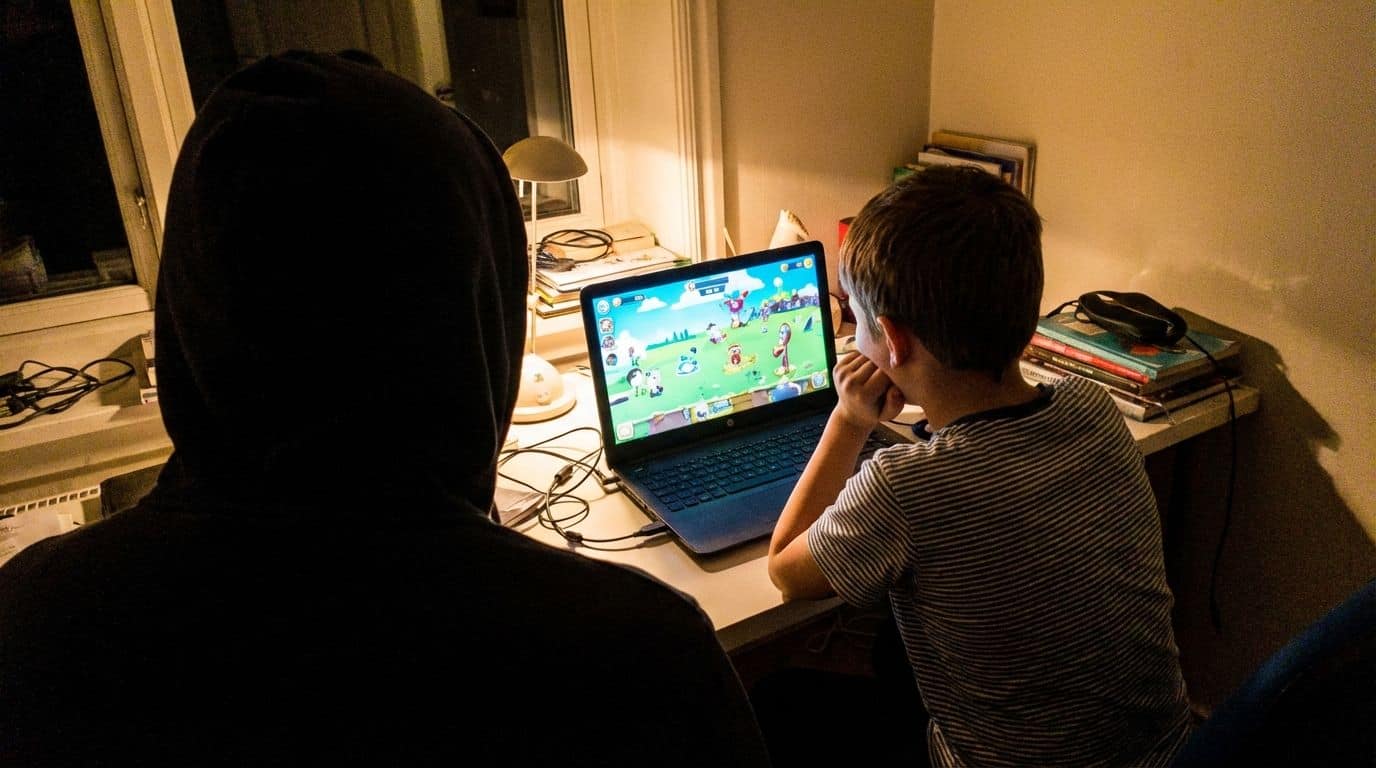
I watched my nephew play at a friend’s house and the social side showed up fast, random players, inside jokes, and that instant pressure to add new connections.
You’ll also hear parents mention “condo games,” which is slang for adult or sexual roleplay experiences that can pop up through search tricks or re-uploads. Roblox bans sexual content, but the practical move is to keep content restrictions tight and treat search like an unsupervised aisle at the store.
Roblox’s Age Rating
Roblox uses an ESRB T for Teen rating with the descriptor Diverse Content: Discretion Advised. That isn’t saying every experience is teen content, it’s a warning that user-generated content can vary a lot, fast.
The good news is that Roblox also uses content maturity labels and parental controls, so you don’t have to rely on age alone to decide what your kid can access.

What ages is Roblox recommended for?
Many families start Roblox around age 8, but I think the better question is: can your kid follow rules about chat, personal info, and spending without reminders every five minutes?
Roblox now separates users into age-related experiences and chat controls more aggressively. For example, Roblox’s support explains that experiences use labels like Minimal, Mild, Moderate, and Restricted, and you can block categories through parental controls.
Set controls, talk often, and treat the app like any public playground.
If your kid is under 13, you should assume their friend list will include older players and that “safe by default” still needs your help to stay safe over time.
Why does Roblox have a “T for Teen” rating?
The ESRB flags Roblox as T for Teen because it’s a platform where users interact and where content comes from a massive creator community, not from a single studio with one consistent story.
In plain terms: Roblox can’t guarantee every experience will match your kid’s maturity level, even with filters, so the rating is your reminder to use tools and stay involved.
- Talk about “chat like a locker room”: your kid will hear stuff you wouldn’t accept at school or at home.
- Use content restrictions first: it’s easier to loosen a setting later than to undo a bad experience.
Safety Features on Roblox
Roblox’s safety setup is layered: content maturity labels, chat filtering, reporting tools, and parental controls that let you set limits for privacy and spending.
It’s also changing quickly. In a January 2026 rollout, Roblox announced that users must complete an age check to access chat, which is a big shift from the old “type your birthday and move on” model.

How do content maturity filters protect kids?
Roblox’s content maturity labels give you a practical way to block categories instead of playing whack-a-mole with individual experiences.
Roblox’s own label definitions include examples like violence level, fear, crude humor, and even “unplayable gambling content” as a possible descriptor inside Moderate and Restricted categories.
- Minimal: lighter content, occasional mild violence or mild fear.
- Mild: repeated mild violence or fear, mild crude humor.
- Moderate: stronger violence or fear, moderate crude humor, light realistic blood.
- Restricted: adult-only category, available only to 18+ users who have completed an age check.
Filters work like a bouncer, they check the door and keep your kid out of rooms they don’t need to be in.
How do chat filters block inappropriate language and personal info?
Chat filters try to block profanity and keep kids from sharing personal info like phone numbers, addresses, and school details. Roblox also limits how kids can talk depending on age and settings.
One major change: since late 2024, Roblox stopped letting users under 13 send direct messages outside of experiences (platform chat), and it tightened how under-13 messaging works inside experiences.
- Keep voice chat off unless you have a reason: text is easier to supervise and easier for systems to filter.
- Teach the “no trade for contact” rule: predators and scammers often use Robux, rare items, or “I’ll help you” as bait.
What parental controls are available for privacy and spending?
Roblox parental controls are where you win or lose this whole game. Link your child’s account to a parent account, then set content restrictions, communication limits, and spending controls in one place.
Roblox’s support also spells out spending alerts that matter for real families: high-spend notifications can trigger at $100, $250, and $500 in a month, and you can switch notifications to every transaction if you want tighter oversight.
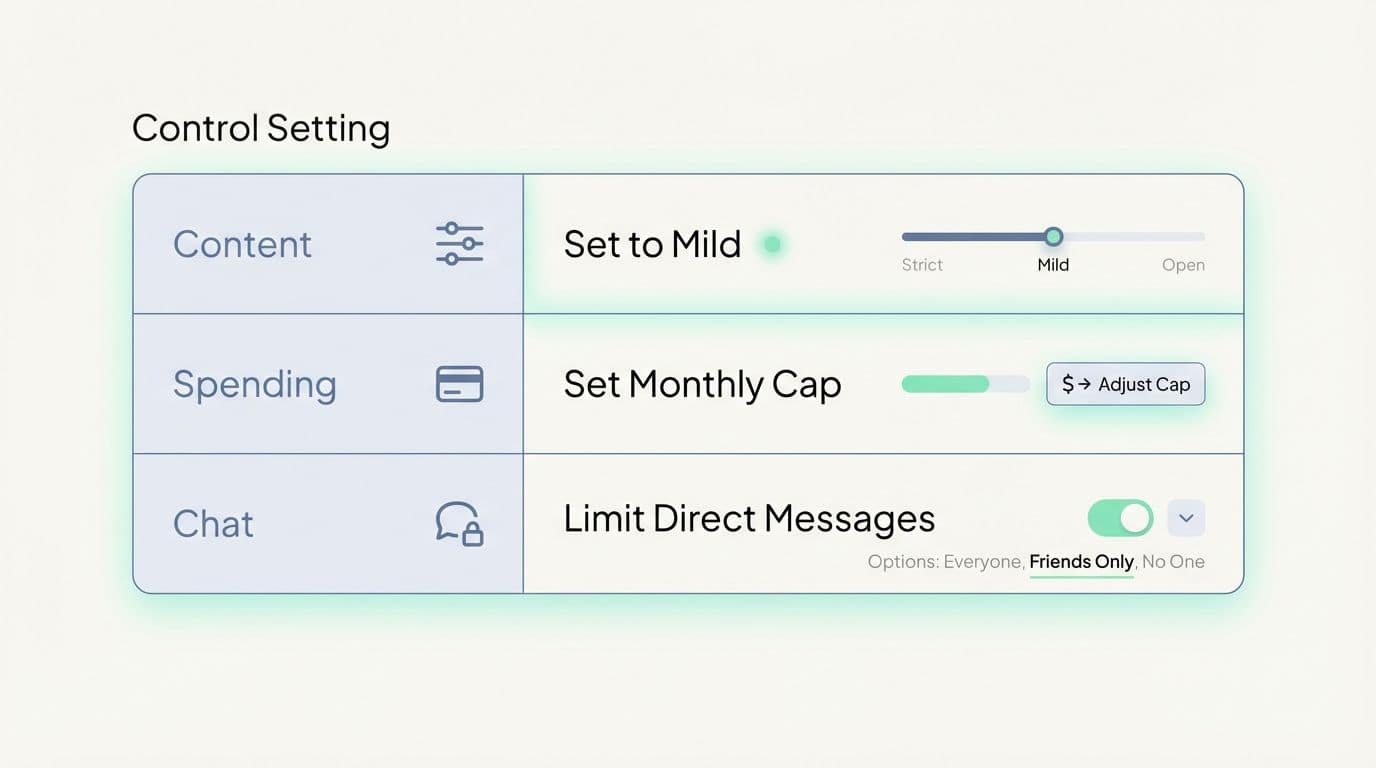
| What you control | What I’d do first | Why it helps |
|---|---|---|
| Content restrictions | Start at Minimal or Mild for younger kids, then adjust slowly | Keeps “weird stuff” from showing up during casual browsing |
| Communication settings | Limit who can chat, keep direct chat tight | Reduces random stranger contact and grooming attempts |
| Spending restrictions | Set a monthly cap, turn on notifications | Stops surprise charges and impulse buys in the moment |
| Screen time | Set a daily time limit and check top experiences weekly | Helps you spot obsession loops and problem games early |
How does Roblox use AI and human reviewers for moderation?
Roblox uses automated systems plus human review to moderate text, voice, avatar items, and experiences. That combo is necessary at Roblox scale, but it’s not perfect, so reporting and parental settings still matter.
Roblox has said it backs automated systems with thousands of safety professionals and contractors, and it also publishes regular safety updates about what it’s changing and why.
- Teach your kid the report button: make it as normal as muting someone in a sports game.
- Check moderation “blind spots”: coded language, misspellings, and “roleplay” rooms are where bad actors try to hide.
Moderation is a safety net, not a babysitter.
Risks and Concerns for Kids on Roblox
Roblox’s biggest risks come from the same thing that makes it fun: user-generated content and real-time social interaction.
If you plan for those risks up front, you can reduce the odds of your kid stumbling into something that sticks in their head for the wrong reasons.
What risks come from user-generated content?
User-made experiences can include violence, sexual themes, scary content, or extremist roleplay that doesn’t match what you’d want for kids. Even when Roblox removes bad content, re-uploads and copycats can still slip through.
A practical guardrail you can use today is content restrictions. Roblox also announced that it removed access to unrated experiences in 2025, which makes the rating system harder to dodge and easier for parents to rely on.
- Block Restricted entirely: adult-only categories are not a “maybe” for kids.
- Use experience-level blocks: if one specific game is a problem, block it even if the overall category seems fine.
How can interactions with strangers affect kids?

Kids can face real danger from strangers online.
Strangers can pressure kids for personal info, try to move conversations off-platform, or build trust over weeks and months (that slow grooming pattern is what makes it dangerous).
Your best defense is layered: tighten communication settings, keep friend lists small, and make it normal for your kid to show you weird messages without fear of getting their game taken away.
Read more about sexual abuse claims tied to online gaming platforms, then come back and use the settings checklist below to lock down the basics.
What inappropriate themes or content might appear?
Even with filters, kids can still run into experiences built around horror, crude humor, sexual roleplay, or violent themes, especially if they search for edgy keywords or follow older players.
Roblox’s content maturity labels help, but you should still watch for:
- Social hangouts and “private space” roleplay that pushes romance or sexual themes.
- Shock content where the goal is to scare, gross out, or bait reactions.
- Extremist roleplay and hate speech disguised as jokes or “history” reenactments.
What issues exist with in-game purchases and gambling-like features?
Roblox uses Robux, a virtual currency, which makes spending feel less like spending. Some experiences also use randomized rewards that can feel like loot boxes, and kids can chase “one more try” the same way adults chase a win.
If you want one concrete win: set a monthly cap and turn on alerts. Roblox’s parental controls allow a monthly spending limit, and gift card redemptions sit outside that limit, so you may also need device-level store controls if gift cards are part of your house rules.
- Set a monthly limit that matches your values: even $10 can teach discipline if it’s consistent.
- Use spending notifications: alerts help you catch problems before the credit card statement does.
- Talk about “virtual value”: make sure your kid understands Robux is real-world currency in a costume.
Parental Controls: Recommendations for Ensuring Safety
If you’re a dad trying to keep things simple, aim for three goals: block risky content, limit stranger contact, and control spending.
Then back it up with one habit: check what they played this week, not just how long they played.
How can parents enable strict controls on Roblox?
Start by linking your account to your child’s, then set content, communication, and spending restrictions from your own device.
- Open Settings.
- Go to Parental Controls.
- Set Content restrictions (start tighter than you think).
- Set Communication limits, especially direct chat.
- Turn on Spending restrictions and notifications.
- Set a daily Screen time limit that matches school nights vs weekends.
If your kid plays on a console, also lock down the console store, because some purchases route through the device’s payment system, not just Roblox’s settings.
Why should parents monitor and play games with their kids?
When you play together, you learn where the risks actually show up, chat windows, friend requests, spending prompts, and the weird corners kids won’t mention on their own.
Joint play also gives you an easy way to teach habits in real time, like blocking and reporting, or leaving an experience that feels off.
- Do a five-minute “show me your favorite game” check: it tells you more than an hour of guessing.
- Make friend requests a conversation: “Who is this, and how do you know them?”
How can parents educate kids about online risks?
Keep it short and repeat it often. A quick talk once a week beats one big lecture that goes nowhere.
- Never share real name, school, address, phone number, or passwords.
- Never accept “free Robux” offers, generators, or trades that require private info.
- If anyone asks to move the chat somewhere else, leave and tell you.
- If something feels weird, block and report first, explain second.
You’re not trying to scare your kid, you’re training instincts.
How to encourage kids to talk about uncomfortable experiences?
Create a calm routine after a session: “Anything weird happen today?” Keep your tone steady so your kid doesn’t learn to hide problems to protect include their screen time.
Role-play one or two scripts. For example: “No thanks, I don’t share that,” then block. Practicing that line once makes it easier to use under pressure.
Make honesty the safe option, not the expensive one.
Roblox and the Metaverse
Roblox is often described as part of “the metaverse” because it blends avatars, shared social spaces, and creator-built worlds. For parents, the metaverse angle matters for one reason: it makes gaming feel like hanging out, and that changes how kids talk, spend, and stay online.
What is Roblox’s role in the evolving metaverse?
Roblox aims to be a place where people play, create, and communicate across devices, including VR. That “always on, always social” feel is why strong settings matter even more than the specific game your kid starts with.
Roblox also says it does not allow users to send images or videos via chat, which reduces one common risk path, but you still need to treat any chat like a public space.
How does Roblox impact children’s online interactions?
Roblox can help kids practice teamwork and collaboration, but it can also normalize chatting with strangers and collecting huge friend lists.
That’s why newer tools like age checks for chat and Trusted Connections matter. The closer Roblox gets to “people you know in real life,” the safer the social side becomes.
- Keep connections small: quality beats quantity.
- Prefer real-life friends and family: make that the default rule, not a special case.
Evaluating Roblox’s Effectiveness for Children
Roblox is a mixed bag, it can be a creativity engine or a stress engine. The difference is usually the settings and the habits around it.
How does Roblox benefit creativity and problem-solving?
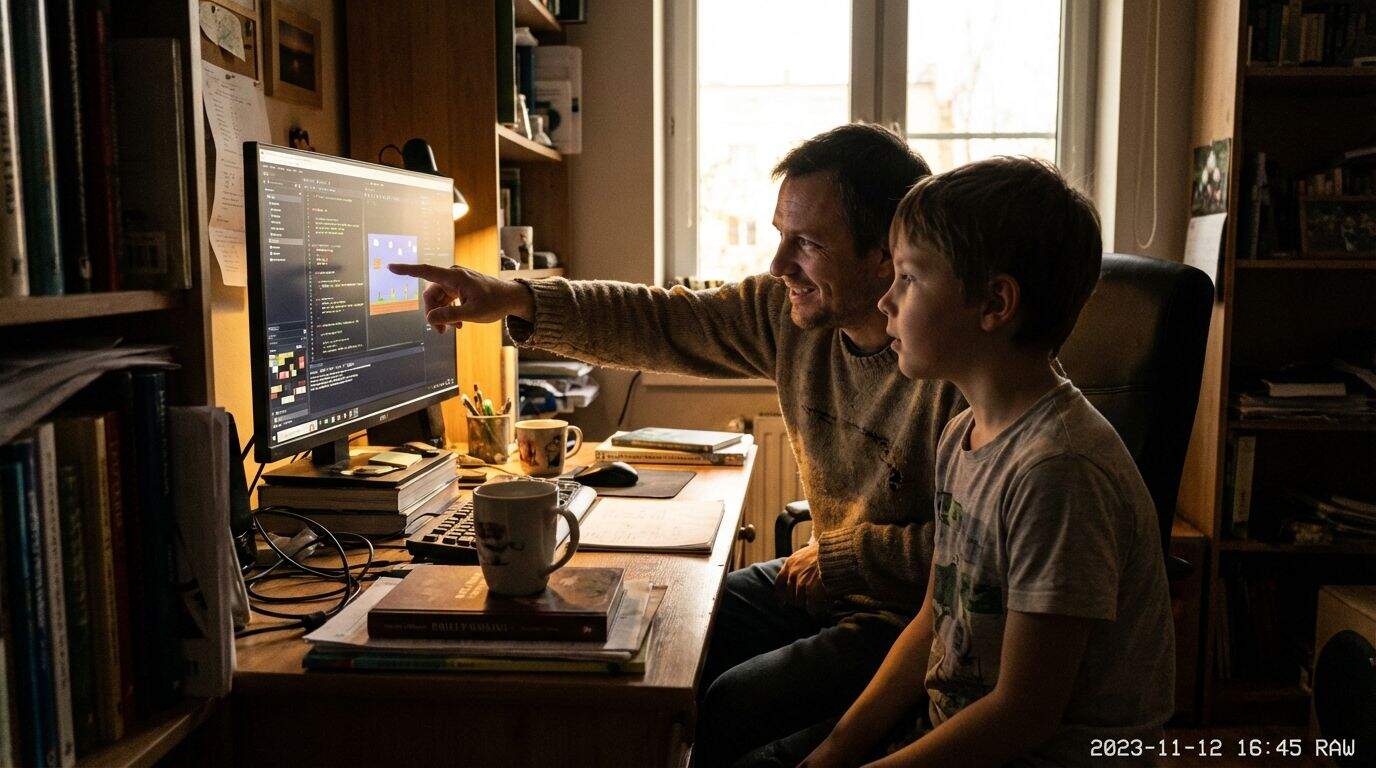
I built a simple obstacle course in Roblox Studio with my son, and it turned “screen time” into “build time.” Roblox uses a Lua-based scripting language (often called Luau), and kids can pick up basic logic faster than you’d expect when the reward is a working game.
If your kid is a builder, set a goal like “make one small thing per week,” and keep publishing private or friends-only at first so you’re not mixing creativity with public feedback too early.
It also helps to know the money side: Roblox’s Developer Exchange terms require 30,000 Earned Robux to cash out, and list a current cash-out rate that can work out to roughly $114 for 30,000 Earned Robux for Robux earned after early September 2025. That can motivate teens, but it can also attract scams, so keep account security tight.
If you want a quick comparison read, this helped me think through trade-offs: is Minecraft better than Roblox.
What concerns exist about emotional and social development?
Roblox can mess with sleep and mood if your kid starts chasing social status, rare items, or endless streaks of “one more game.” I’ve seen it happen fast, especially when friends are online late.
Watch for these red flags:
- Big mood swings when it’s time to get off.
- Secretive behavior around chat or new connections.
- Spending pressure tied to fitting in or flexing cosmetics.
- Nighttime play that drags into school mornings.
If you see those signs, tighten screen time and communication first, then reassess whether Roblox still fits your family.
Legal and Regulatory Actions
In the U.S., Roblox safety sits at the crossroads of child privacy rules, consumer protection, and platform responsibility.
Even if you never read a law, two names matter because they shape what platforms are expected to do: the FTC and COPPA.
What efforts address safety concerns on Roblox?
Roblox has rolled out several concrete safety updates since late 2024, including restricting under-13 direct messaging outside experiences, adding stronger parental tools, and expanding age verification for chat in 2026.
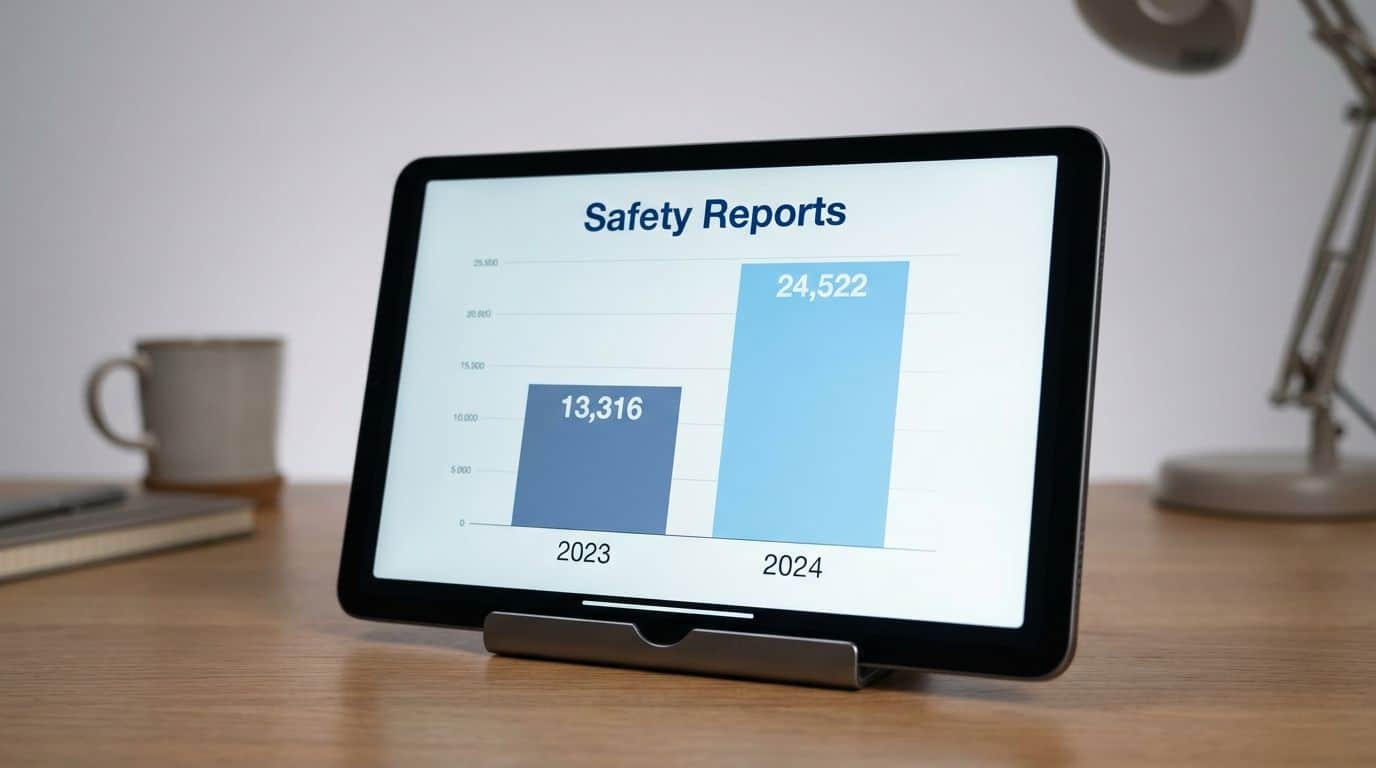
Roblox also says it reports suspected child exploitation to the National Center for Missing and Exploited Children, listing 13,316 reports in 2023 and 24,522 reports in 2024 in its law enforcement partnering update.
- What that means for you: reporting tools matter, but your prevention steps still do most of the heavy lifting.
- Use the “layers” mindset: content restrictions, communication limits, spending caps, then supervision.
What global regulations affect Roblox’s safety practices?
If you’re in the U.S., the biggest practical rule set for parents is child privacy. The FTC explains that under COPPA, online services covered by the rule must get verifiable parental consent before collecting, using, or disclosing personal information from kids under 13.
Also, state-level consumer protection actions have increased scrutiny. For example, the Kentucky Attorney General announced a lawsuit in October 2025 focused on child safety allegations on the platform.
How Will Roblox Safety and Innovation Evolve in 2026?
2026 is already shaping up to be a point where safety is less about “set your birthday” and more about proving your age to unlock social features.
Here’s what I’d track this year as a parent:
- Age verification for chat: Roblox’s January 2026 rollout requires age checks to access chat, with kids under 9 defaulted to chat off in experiences unless a parent consents after the age check.
- Tighter content access: content maturity labels are now central, and Roblox has been pushing to reduce unrated content access.
- More granular parental controls: blocking specific friends, blocking specific experiences, and better weekly visibility into what your kid actually played.
- Creator safety: Roblox has signaled that age checks may expand into more creator tools, which matters if your teen uses Roblox Studio.
Is Roblox Safe for Kids?
Roblox can be safe enough for many families, but it’s not “set it and forget it,” especially because users interact, content is user-generated, and spending is always one tap away.
If you lock down parental controls, set spending limits, keep chat tight, and stay involved in what your kid is playing, you’ll cut the biggest risks down to size.
If you can’t commit to those basics right now, it’s okay to pause Roblox and come back later, you’re not taking fun away, you’re choosing timing and peace of mind.
People Also Ask
Is Roblox safe for kids?
Roblox can be safe for kids when parents use parental controls and good account settings. Watch chat, privacy, and in-game purchases, and talk with your child often.
What safety tips should I follow?
Start with parental controls, set age limits, and turn off public chat for younger kids. Limit spending, check friend lists, and review privacy settings every few weeks.
What risks should I watch for on Roblox?
Kids may meet strangers, see bad language, or face scams in games. Some game areas try to get money or personal info, so stay alert.
How do I monitor play without spoiling the fun?
Play with your child sometimes, ask them to show favorite games, and use reports and moderation tools. Keep rules clear, and balance safety with freedom, so kids learn good habits.
References
https://www.internetmatters.org/advice/apps-and-platforms/online-gaming/roblox/
https://www.parents.com/kids/safety/internet/is-roblox-safe-for-kids/ (2026-01-12)
https://www.esrb.org/blog/what-parents-need-to-know-about-roblox-2/
https://corp.roblox.com/resource/child-safety
https://en.help.roblox.com/hc/en-us/articles/30428310121620-Parental-Controls-Overview
https://en.help.roblox.com/hc/en-us/articles/203313120-Safety-Features-Chat-Privacy-Filtering
https://en.help.roblox.com/hc/en-us/articles/4407444339348-Safety-Civility-at-Roblox
https://www.theguardian.com/technology/2025/apr/14/risks-children-roblox-deeply-disturbing-researchers (2025-04-14)
https://dl.acm.org/doi/full/10.1145/3706598.3713969
https://pmc.ncbi.nlm.nih.gov/articles/PMC12355144/